
What you will do
You will learn the bench’s words for a stone and for a ring, on a real Round 6.50 stone and a UK M band. Every later page says table, girdle, bridge, shank or bore without explaining it, so this is the page to come back to.
About 8 minutes.
Files
- p0-22-start.blend (2.05 MB): open this one to begin.
- p0-22-finished.blend (2.05 MB): the result, to compare with yours.
Both were made in Blender 5.2.0.
Before you start
- You can open the CAD/CAM tab and press a button: Open the CAD/CAM tab and find your way round it (P0-19).
- The file is in millimetres, as the start file is: Work in millimetres (P0-20).
- A Round 6.50 is a round stone 6.50 mm across. UK M is a ring size.
Build it
Step 1. Open the start file and save your copy
WhereThe top bar: the row of words that begins File, Edit.
DoDownload p0-22-start.blend from Files above and open it. Then choose File > Save As and save it under the name below, in a folder of yours. Open an exercise file and keep the start file safe (P0-07) shows how.
Typemy-words.blend
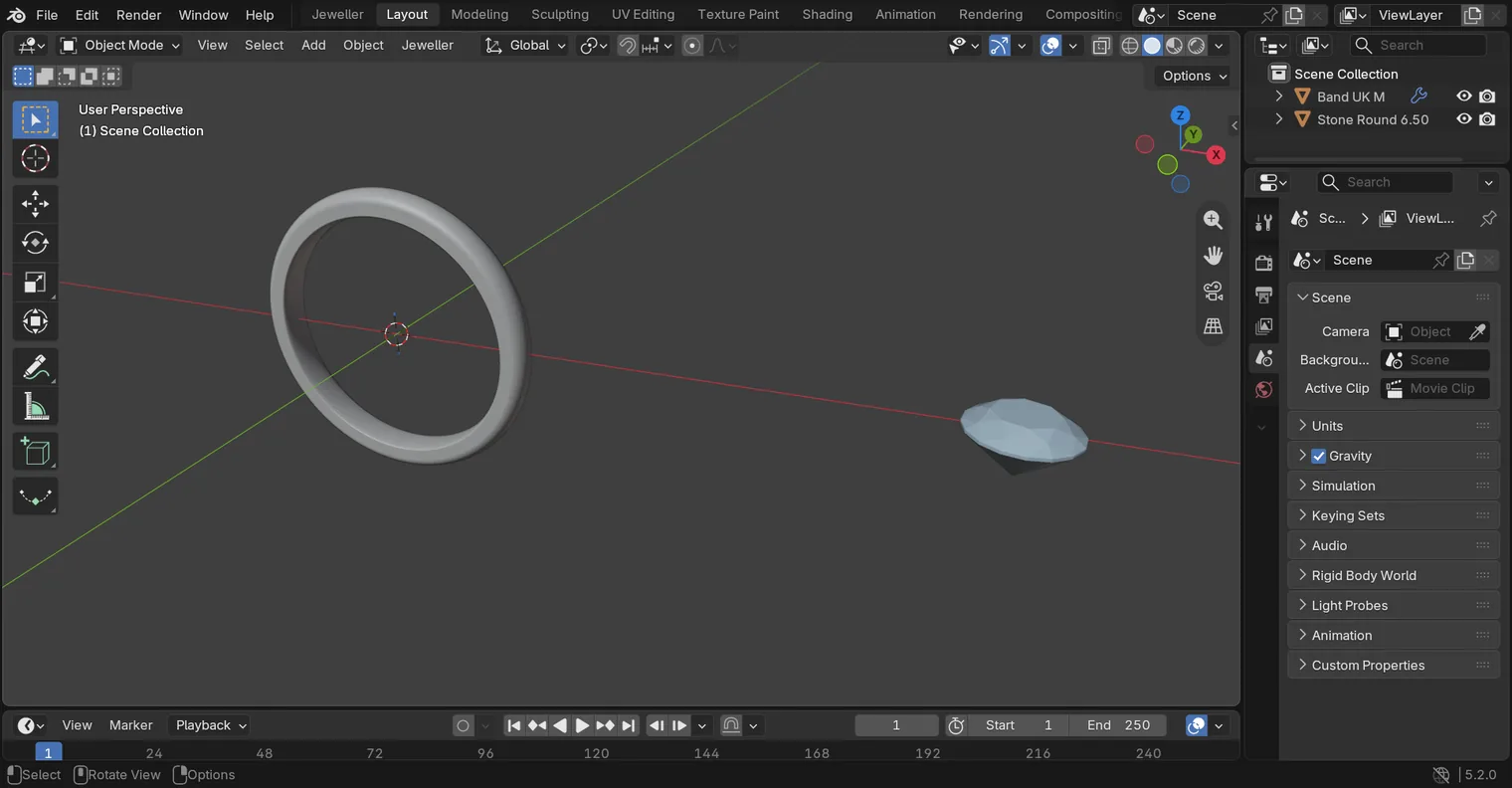
You should seeA ring band and a stone beside it stand in the 3D view. They are held apart on purpose, so that you can see each one alone. Nothing is selected. The Outliner lists Band UK M and Stone Round 6.50.
It worked whenThe Outliner, at the top right of the window, lists Band UK M and Stone Round 6.50.
Step 2. Meet the stone
WhereThe Outliner, at the top right of the window.
DoClick Stone Round 6.50 in the Outliner. Then click the Item tab on the sidebar’s edge.
You should seeThe stone is selected. Its Dimensions: read 6.5 mm in X and in Y: that is the Round 6.50. The picture names its five parts.
It worked whenThe words at the top left of the 3D view end in Stone Round 6.50, and Dimensions: read 6.5 mm across.
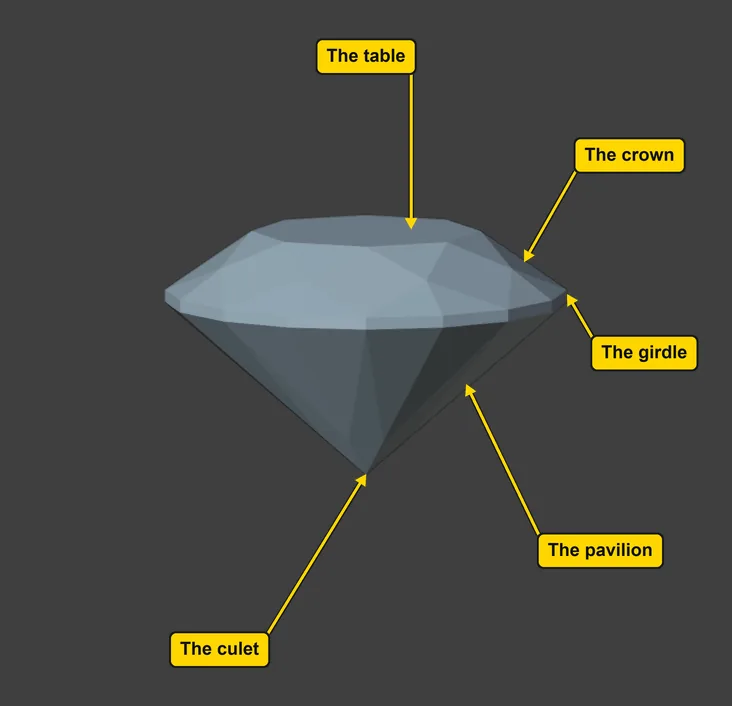
| Part | What it is |
|---|---|
| The table | the flat top of the stone |
| The crown | the sloping part between the table and the girdle |
| The girdle | the thin edge round the widest part |
| The pavilion | the part under the girdle that narrows to a point |
| The culet | the point at the bottom of the pavilion |
Step 3. Measure the stone with Info
WhereThe sidebar: the CAD/CAM tab, then Gems in the section bar.
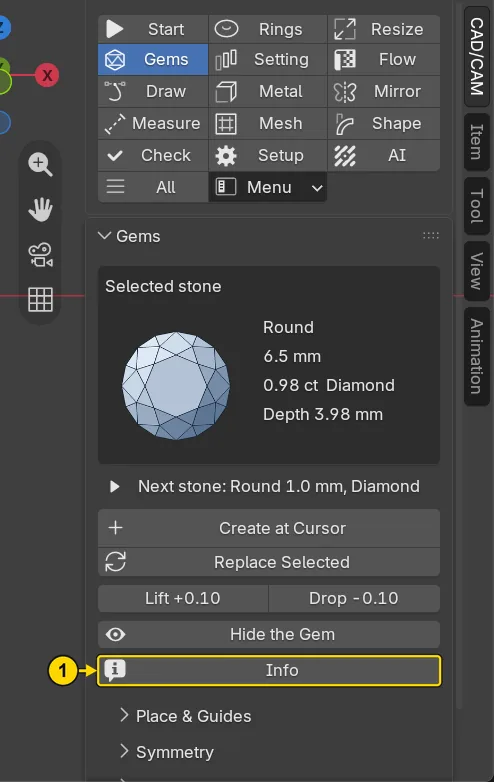
DoClick the CAD/CAM tab, click Gems in the section bar, and press Info (marked 1).
You should seeInfo measures the stone and reports it on the status bar, the line along the very bottom of the window. The line begins “Round 6.50 x 6.50 x 3.98 mm” and fades after a few seconds. Its depth is how tall the stone is, from table to culet, as a share of its width: 61 per cent here. Its table is how wide the flat top is, as a share of its width: 57 per cent here. The card above the button reads the same stone: Round, 6.5 mm, 0.98 ct Diamond and its depth in millimetres.
It worked whenThe card in the panel Gems reads Round and 6.5 mm. The status bar shows the report for a moment.
Step 4. Meet the band
WhereThe Outliner, at the top right of the window.
DoClick Band UK M in the Outliner.
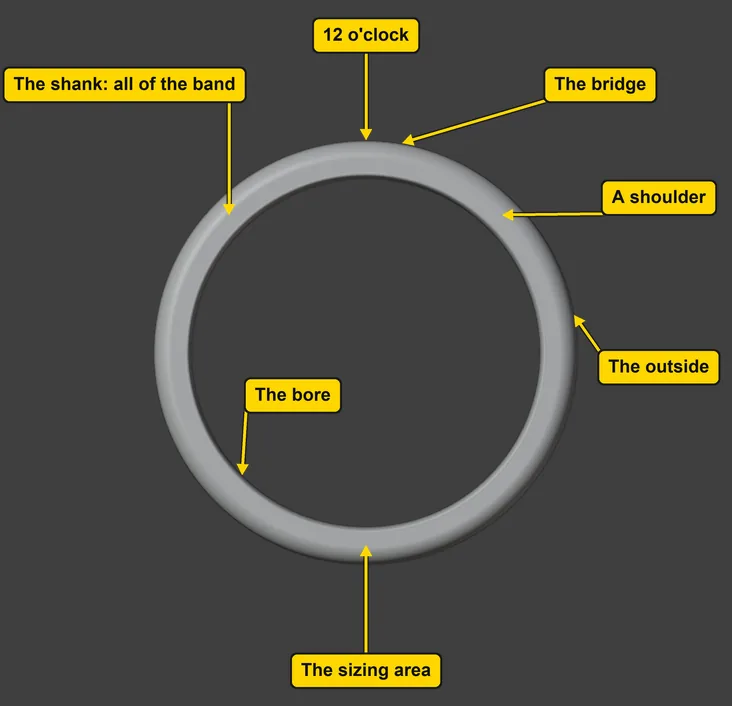
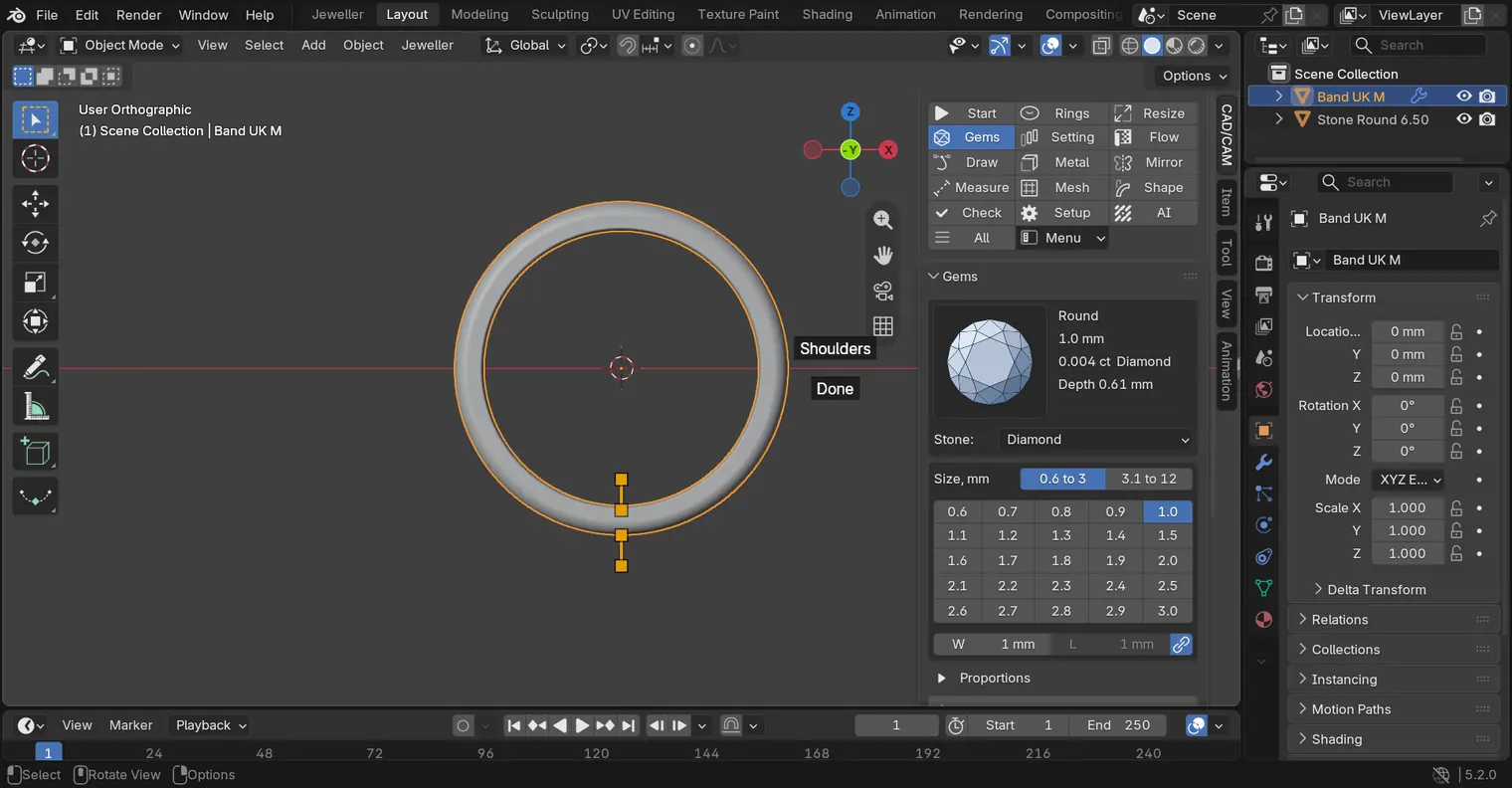
You should seeThe band is selected. Seen from the front it is a ring with the clock’s twelve hours round it. The picture names its parts, and the table says what each is. Marks and the word Done may show on it. They change its numbers by dragging: leave them alone for now.
It worked whenThe words at the top left of the 3D view end in Band UK M.
| Part | What it is |
|---|---|
| The shank | the band itself, the metal that goes round the finger. Build Shank makes it |
| 12 o’clock | the top of the ring, seen from the front, where a stone would sit |
| The bridge | the metal under the head, at the top of the band: it stands at 12 o’clock |
| The shoulders | the metal that climbs on each side towards the head, at about 1:30 and 10:30. The add-on’s Stations panel, under the Rings panel, calls the band’s two sides, at 3 and 9 o’clock, “Sides” |
| The sizing area | the bottom of the band, at 6 o’clock, which a jeweller cuts and joins to change the size |
| The bore | the inside of the ring, against the finger |
| The outside | the outer surface, away from the finger |
Step 5. Meet the words for holding a stone
WhereThis page: the table under this step.
DoRead the table. None of these words is in this file yet, because the stone has no head. Set a round stone in a head (P1-02) builds one.
You should seeThree words say how a stone is held, and two say how a piece is made.
It worked whenYou can say what a claw, a seat and a rub-over are, and what print and cast mean.
No picture: the table is the lesson, and none of these parts is in this file.
| Word | What it means |
|---|---|
| A claw | one of the thin metal prongs that hold a stone |
| A seat | the cut a stone sits in |
| A rub-over | a wall of metal round the stone, rubbed over its girdle to hold it |
| To print | to have a 3D printer build the piece from your file, usually in resin |
| To cast | to pour melted metal into a mould. The mould is made round the printed piece, which burns out and leaves the space the metal fills |
Step 6. Save your work
WhereThe 3D view: move the pointer over it.
DoPress Ctrl+S.
You should seeBlender saves your copy over itself, with no question, and the start file is untouched. This page changed nothing in the file, so nothing looks different.
It worked whenThe title bar, the strip above File and Edit, still begins with the name of your copy.
Check your result
| What to read | Where | What it should say |
|---|---|---|
| The stone’s width | The sidebar’s Item tab, the row Dimensions: | 6.5 mm across, in X and in Y |
| The two parts | The Outliner, at the top right of the window | Band UK M and Stone Round 6.50 |
| Your copy | The title bar, the strip above File and Edit | It begins my-words |
Try it yourself
Click the band in the Outliner, then press Home over the 3D view (or choose View > Frame All) and turn the view the way you chose (P0-04 or P0-05). Find the bridge at the top and the sizing area at the bottom, and say each word out loud. The stone and the band are held apart on purpose: nothing here holds the stone yet.
What you learned
- A stone has a table on top, a crown under it, a girdle round its widest part, a pavilion below and a culet at the point.
- A band has a bridge under the head at 12 o’clock, shoulders that climb towards it, a sizing area at 6 o’clock, a bore inside and an outside. All of it together is the shank.
- A claw and a rub-over hold a stone; a seat is the cut it sits in. To print is to have a printer build the piece, and to cast is to turn that piece into metal.