
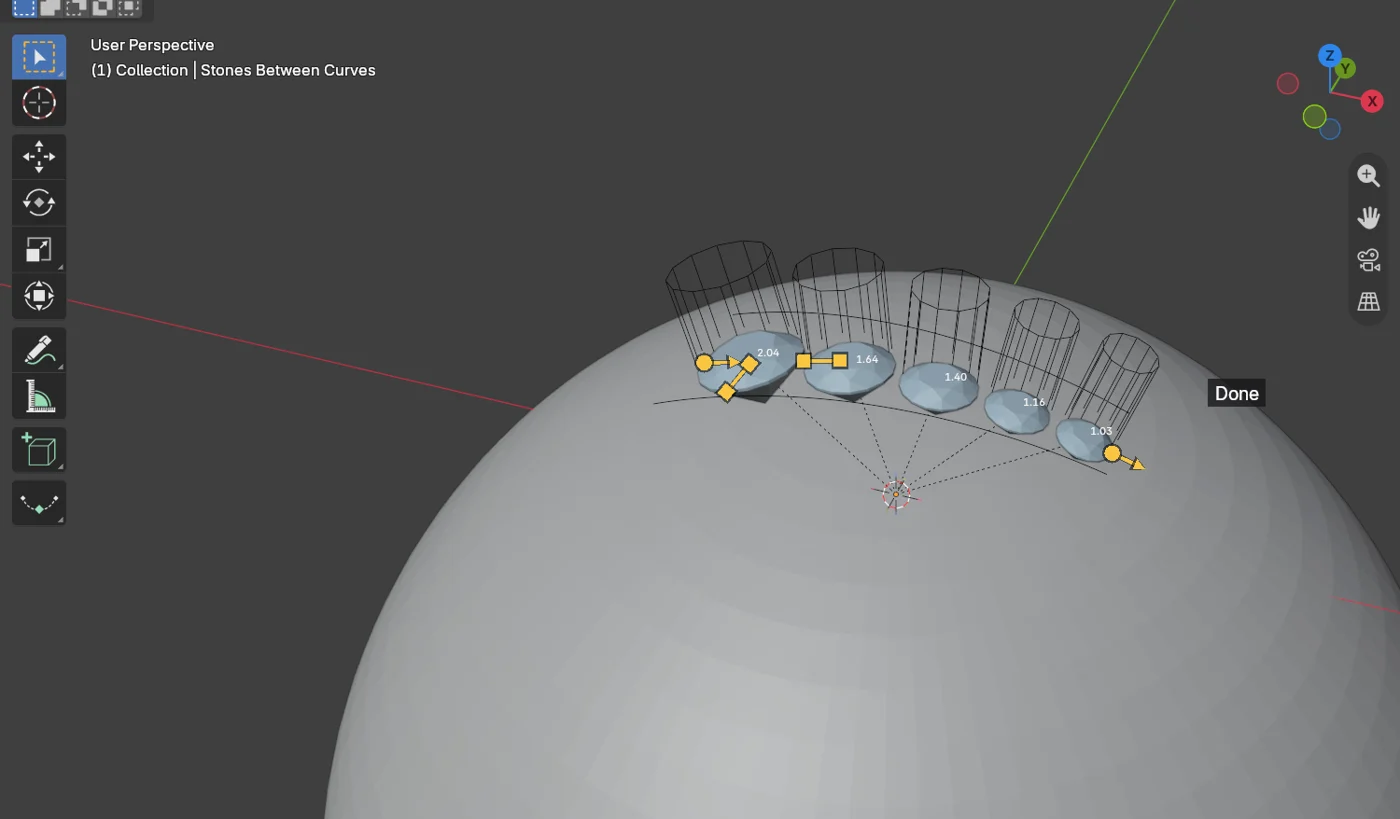
Stones Between Curves puts a band of stones between two curves, each stone as wide as the band is at its place. Stones from Circles makes a stone of each circle you draw. Both stay live: move a curve or the piece and the stones are laid again. Reach for them for a pave shoulder, a channel along a band, or a ring of stones round a bezel.
Where to find it
CAD/CAM tab > Setting section > Pave, Channel, Halo panel > Stones Between Curves and Stones from Circles. Menu: the quick menu, under Stones.
Use it
Step 1. Draw the curves
Wherethe 3D view, over the piece.
Dodraw two curves along the piece, one each side of where the stones go.
You should seetwo curves lying on or over the metal.
Step 2. Select the curves and the piece
Wherethe 3D view, in Object Mode.
Doselect both curves (in any order), then the piece.
You should seeall three outlined.
If it goes wrongwith three curves or more, each neighbouring pair holds one band, and the curves are put in order across the piece for you.
Step 3. Press Stones Between Curves
Wherethe Pave, Channel, Halo panel.
Doclick Stones Between Curves.
You should seea band of stones, each sized to the gap at its place, less an Edge of metal each side. The panel reads the band back, for example how far the stones differ from the set size.
If it goes wronga place that holds no stone of the Smallest stone is left empty and named, for example “From 12.4 to 14.0 mm along the band it is 0.90 mm wide, and the smallest stone, 0.60, needs 1.30 with the edges. Left empty.”
Step 4. Choose the cut
Wherethe band’s panel, the Cut row.
Dopick Round, Baguette or Tapered Baguette.
You should seewith a baguette cut, stones lying end to end along the band, held by the metal each side. With Tapered Baguette a tapering band grades itself and each stone points its narrow end where the band narrows.
Step 5. Drag the handles
Wherethe 3D view, with the band selected.
Dodrag Start or End to slide the band’s ends, Gap for the gap between stones, Edge (on the first stone’s nearest corner) for the metal kept beside the stones, Length for baguettes, and, with More open, Height.
You should seediscs that keep up with the mouse. On the release the stones are laid again.
If it goes wrongan Edge the band cannot lay is laid at the nearest one that can be, with the reason on the status bar. A Gap or Length it cannot lay goes back to the last one that worked.
Stones from Circles
Draw a circle where each stone goes, select the circles and the piece, and click Stones from Circles. Each circle becomes a stone of its diameter, dropped onto the piece along the circle’s normal, on the house seat (girdle 0.30 mm below the metal). Seat is a handle on the first stone.
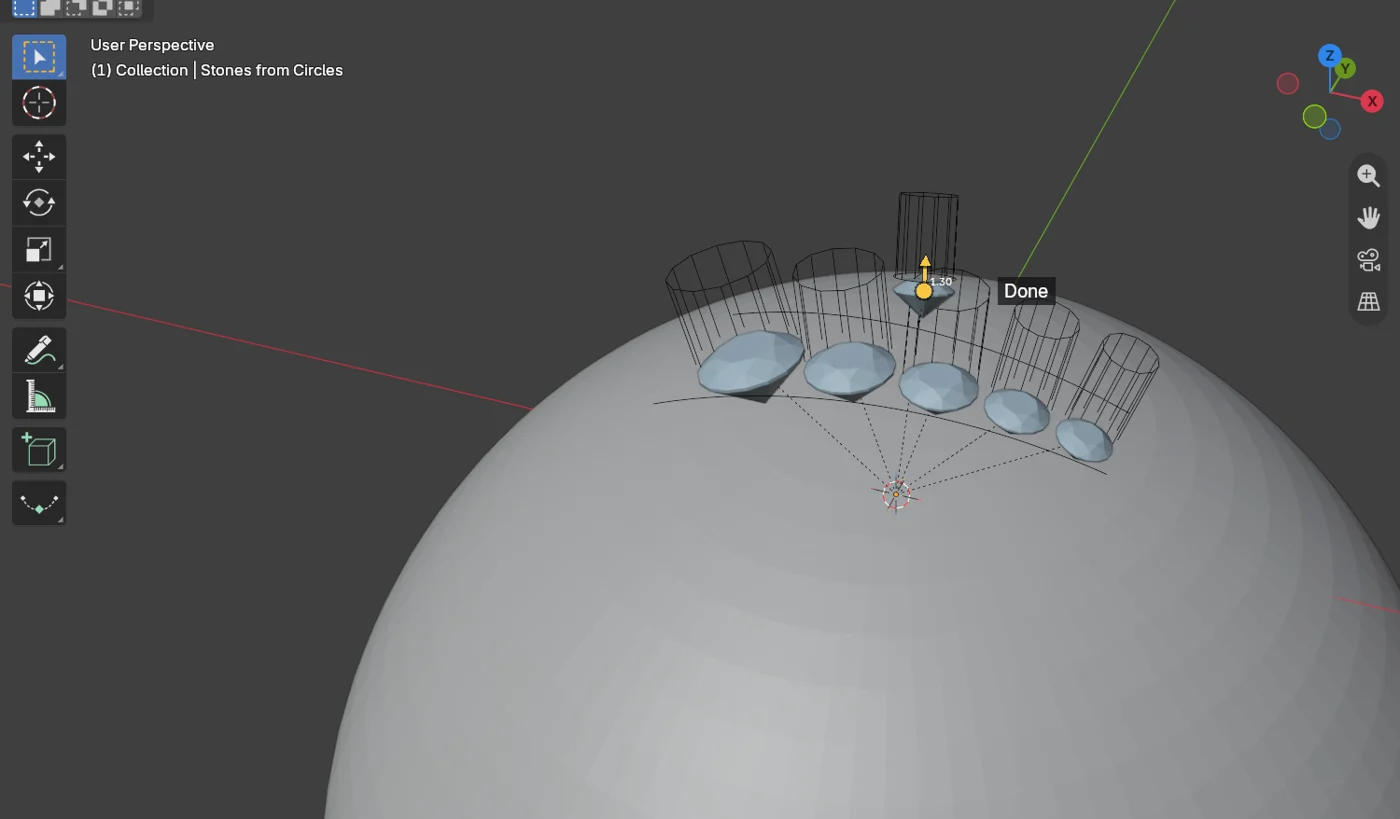
A circle under the smallest stone, or two circles closer than the gap, are refused with the figure.
Settings
| Setting | Default | What it changes |
|---|---|---|
| Gap | 0.15 mm | The gap between stones, measured girdle to girdle by the chord, never along the arc. |
| Edge | 0.35 mm | The metal kept each side of a stone. |
| Smallest stone | 0.60 mm | The smallest stone the band may hold. A place that cannot hold it is left empty. Under More. |
| Close by | Size | Size changes the stones’ sizes by the least amount. Gap keeps every size and widens the gaps evenly. Under More. |
| Exact sizes | Off | Follows the band’s width exactly instead of rounding down to the library’s step. Rounds only. Under More. |
| Rows | 1 | Two or more rows across a wide pair, a gap apart. Rounds only. Under More. |
| Length | 2.0 x the width | A baguette’s length as a multiple of its width. |
| Corner angle | 30 degrees | A stone sits on every sharp corner of the band, turned to its bisector. Under More. |
| Cutters, Claws, Beads | As the Pave panel | Seat cutters, claws and beads made with the band. Baguette bands have none unless you ask. Under More. |
Good to know
- Stones are the add-on’s own: counted, weighed, on the gem map and in one group.
- A run whose stones differ more than 10 % from the set size gets a warning.
- Every seat, claw, halo and head now follows a tapered baguette’s own taper, whichever tool made the stone.
- Keep clear of the stones and claws already there (on, under More) leaves a place free where a stone would come within the gap of another stone or a claw. Stones from Circles leaves such a circle empty and names it.
- The Edge handle stops where the widest part of the band could still hold the smallest stone. A long search for the nearest Edge that lays runs a little at a time, so Blender is never held.
- Limit: Rows and Exact sizes apply to round stones only.