

Find what you see, then try the fix. Most are a few clicks.
Installing and starting
Blender has no Get Extensions item
Your Blender is older than 4.2. Install a newer one from blender.org. See What you need.
The add-on is not in the list after I added the repository
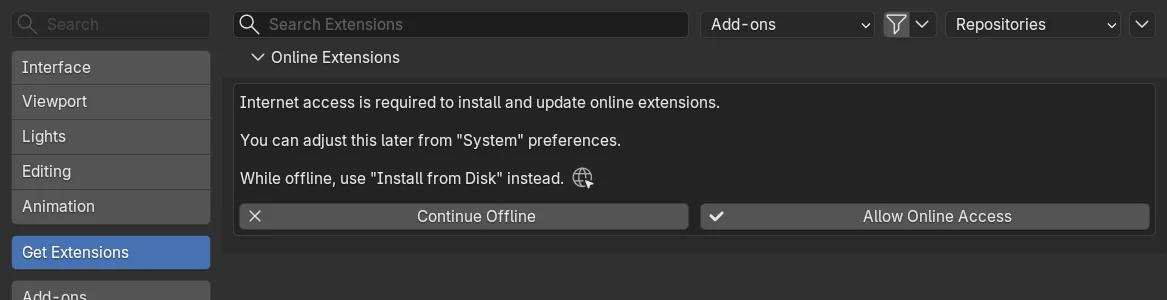
- Check Allow Online Access in Edit > Preferences > System > Network. It must be on.
- Check the address, character by character:
https://www.hamedarab.academy/blender-jewellery-addon/index.json - Refresh the repository from the arrow menu at the top right of Get Extensions. Blender’s manual calls the entry Refresh Remote.
There is no CAD/CAM tab
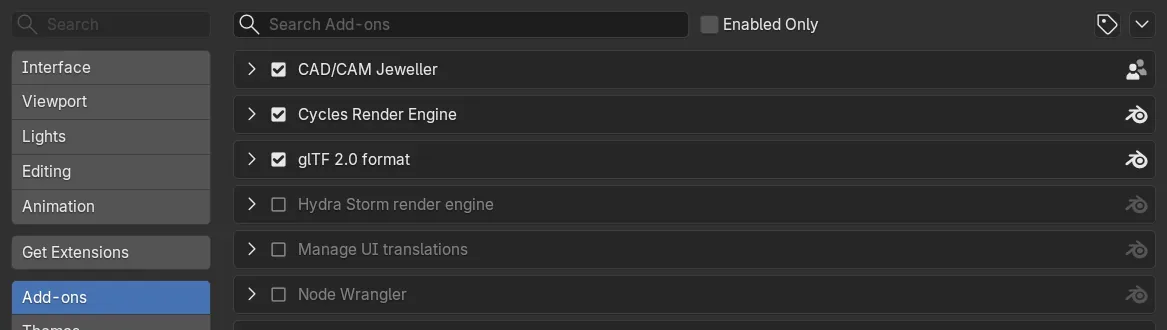
- Open Edit > Preferences > Add-ons, find CAD/CAM Jeweller and tick it if it is not ticked.
- The tab lives in the sidebar of the 3D Viewport only. Move the mouse over the 3D view and press
N. Other editors do not show it.
The Set Up window did not open, or I closed it
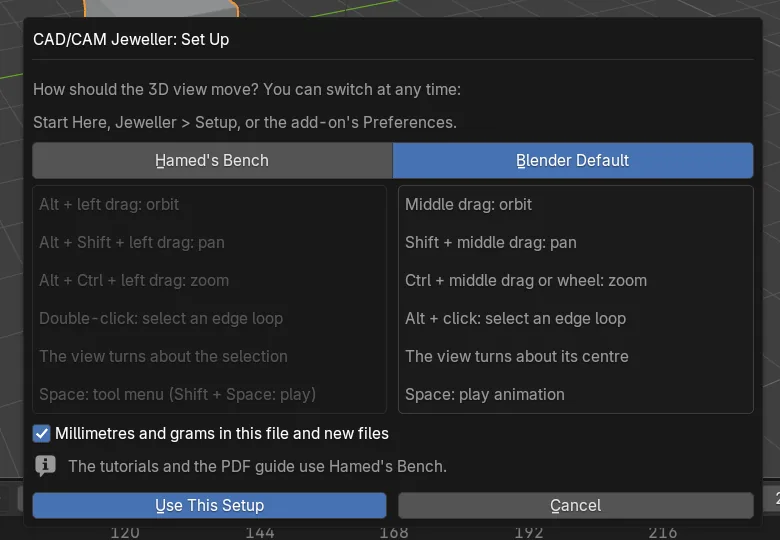
It opens once, after you install. To open it again use the Navigation row in Start Here, Jeweller > Setup > Navigation and Units…, or the add-on’s Preferences.
The Jeweller menu is missing
It is drawn in Object Mode and in mesh Edit Mode only. In any other mode, return to Object Mode.
Working
The view moves differently from what I am used to
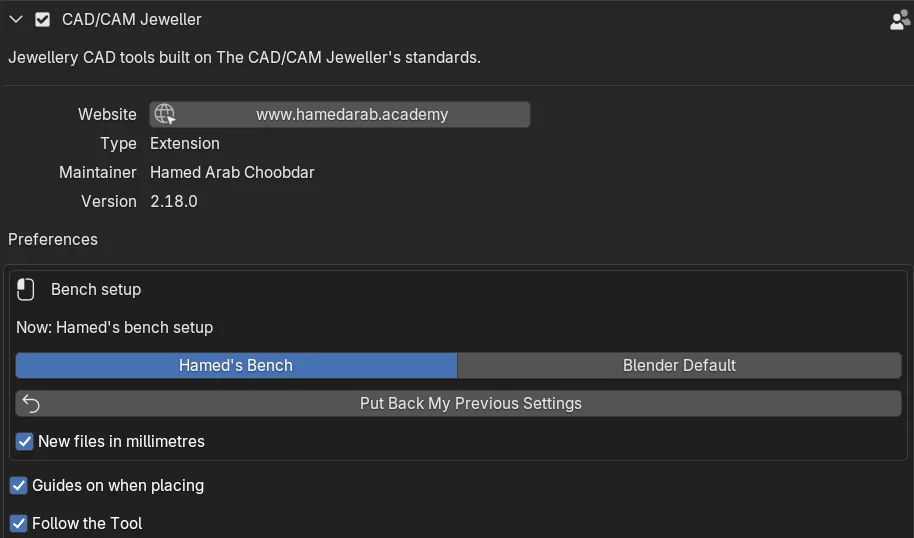
You chose Hamed’s Bench, which orbits with Alt and a left drag. Open Edit > Preferences > Add-ons > CAD/CAM Jeweller and use the Bench setup box. Blender Default switches to Blender’s own navigation. Put Back My Previous Settings restores what you had before your first choice.
A key does something I did not expect
Shift+Gstarts Place Gems in Object Mode, in place of Blender’s Select Grouped. Select Grouped is still in the Select menu.Ctrl+Shift+Gtoggles the spacing guides, in place of Add to Active Object’s Collection.G,RandSare weighted only while Falloff is on. Switch Falloff off and they are Blender’s own again.
Move or remove any key in Edit > Preferences > Keymap. Keys and menus lists them all.
A button is greyed out
Hold the mouse over it. In 2.18.0 a greyed button says why.
The stones and the band look the wrong size
Look at row 1 of Start Here. A red Set Units to mm button means the scene is not in millimetres. Click it. The add-on works at 1 Blender unit = 1 mm.
Make Claws or Cut Metal refuses
Select at least one gem: click the stone first.The active object is a gem, not metal: click the band so it is the active object.No cutters found for this object: select the stone and click Make Cutters, then try again.
Saved presets are missing from the Presets menu
This is a known limit in 2.18.0. Save Preset writes your preset to a file in your Blender user folder, but the Presets menu lists only the add-on’s own presets.
Open the Cheat Sheet does nothing
Another known limit in 2.18.0: an installed copy has no cheat sheet file to open. The same keys are on Keys and menus.
A separate copy of the retopology tools or Loop Tools is on
The add-on already includes both. The Set Up window and the add-on’s Preferences name a separate copy and offer Switch It Off (retopology tools) or Switch the Separate One Off (Loop Tools). That leaves one set of tools and one W pie.
Edit Mode colours changed
If colours from the retopology tools were saved into your Blender preferences, the add-on puts Blender’s back once at start. To do it at any time, open the add-on’s Preferences, the Retopology panel, and click Restore Edit Mode Colours. A theme of your own is never touched.
AI Studio
AI Studio sends nothing while Allow Online Access is off, and its panel says so. Keys, credits and every message are on AI Studio and Keys and costs.
Undo
Ctrl+Z undoes Apply Preset, which applies at once with no confirmation. A Place Gems run that placed anything is one undo step.
Still stuck
Write down your Blender version, the add-on version (Setup section, Help panel) and the exact sentence the status bar showed. Then ask through hamedarab.academy.