

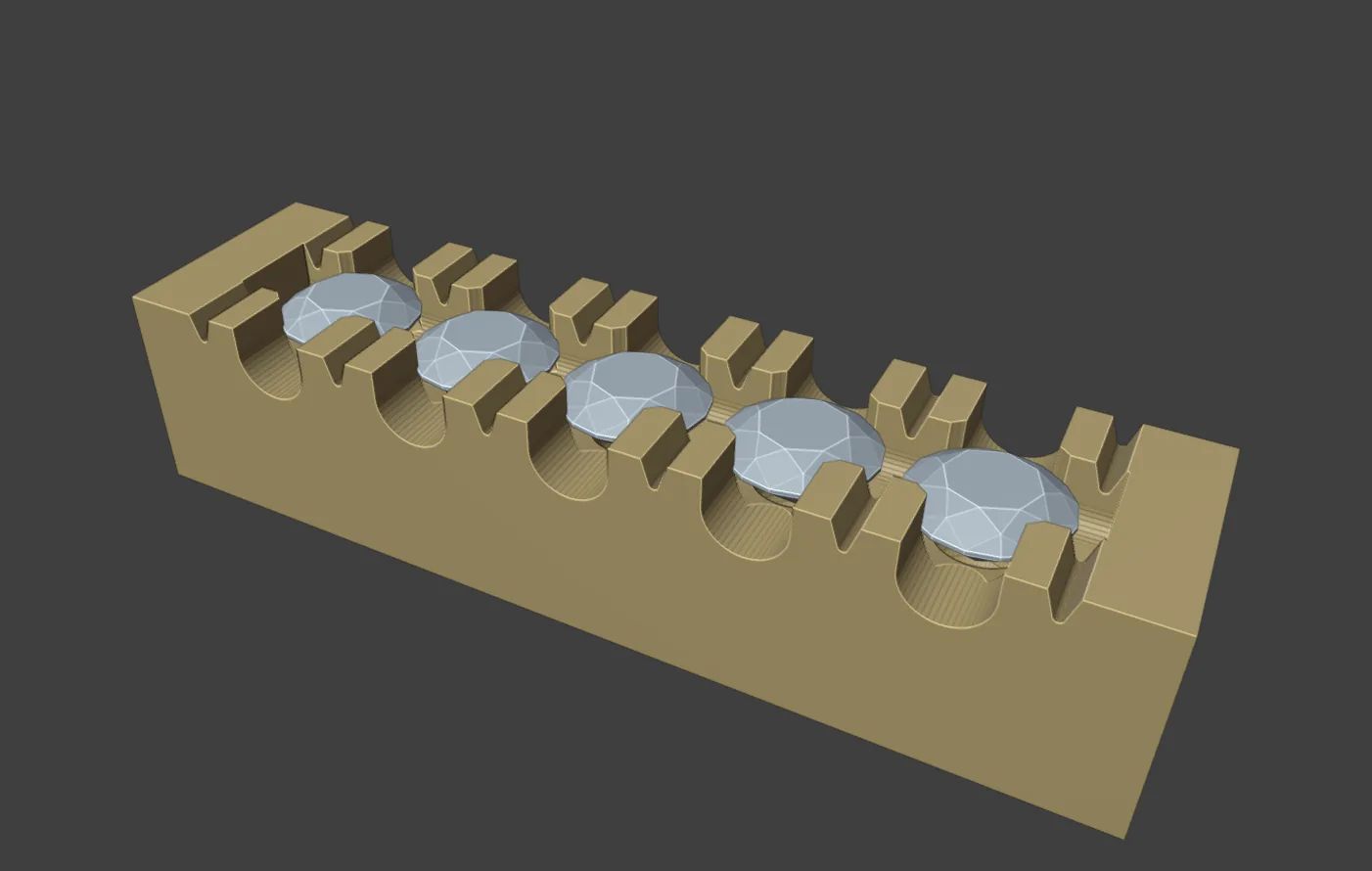
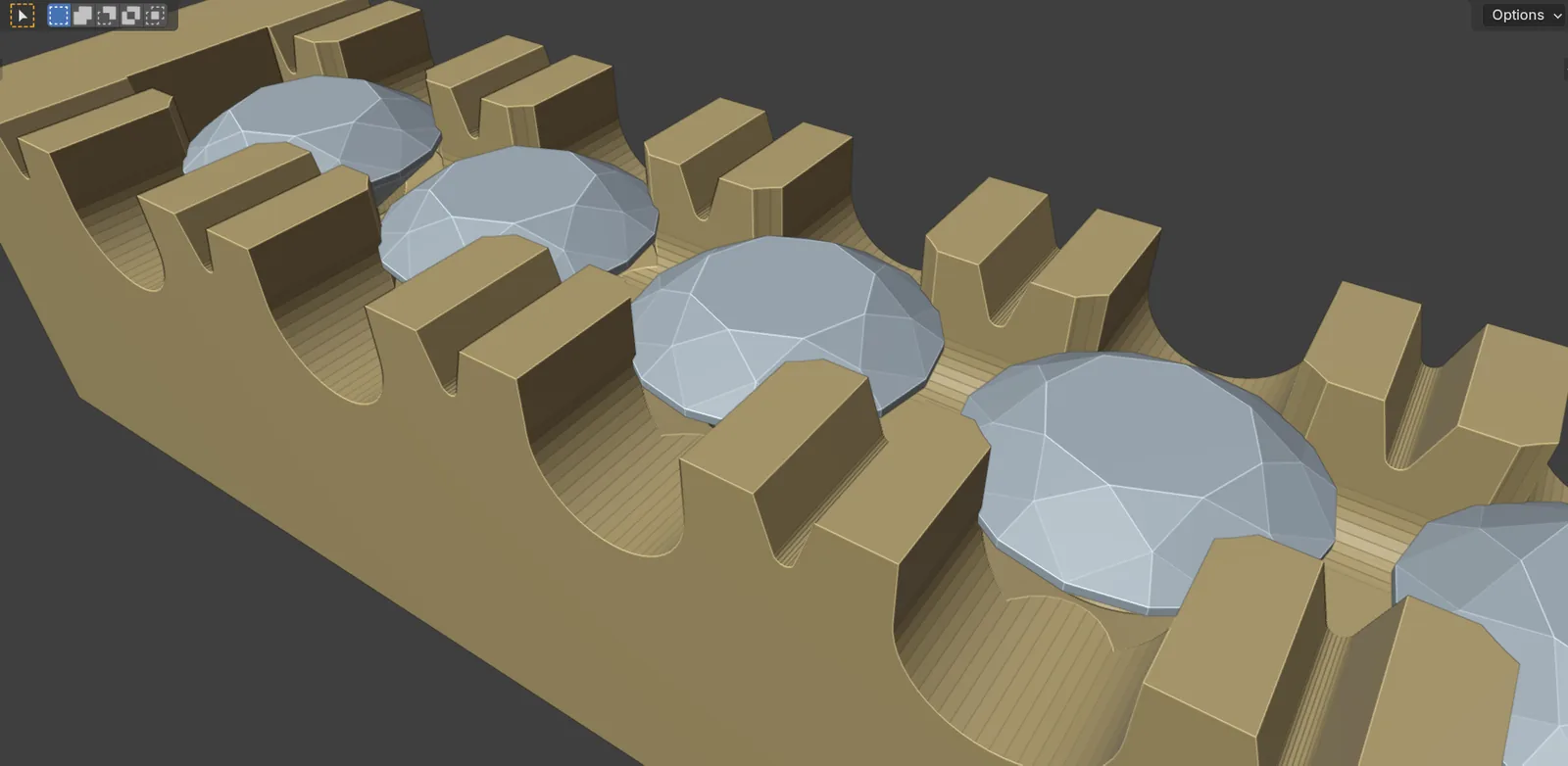
Castle setting holds a row of stones between two metal walls. A U cutter goes across the row at each stone. A V cutter splits the block of metal between stones into two claws. A channel runs along the row. The tool follows Chapter 8 of the book (pp.219 to 223). It measures the metal and says what it found: the read-back is the result.
Where to find it
CAD/CAM tab > Setting section > Setting panel > Castle Setting, the last panel in the list. Menu: Jeweller > Setting, the Castle setting group. There is no key.
Use it
Step 1. Build the metal and place the stones
Wherethe 3D view, in Object Mode.
Dobuild the metal so it stands 0.20 to 0.30 mm beyond each girdle (p.221). Place the stones in a row at a gap of 0.15 to 0.20 mm (p.220), their girdles below the top of the metal. Make their seats first, as in Seats.
You should seethe row sitting in the metal. The tool adds no metal. A band that is too narrow or too wide is named in the read-back, not changed.
Step 2. Select the row, then the metal
Wherethe 3D view.
Doselect the stones of one row or one ring. Shift+click the metal last so it is the active object.
You should seethe panel’s first line reads, for example, “5 stones selected”.
If it goes wrong“Castle Setting needs a row: select two or more stones that sit side by side” means fewer than two stones are selected.
Step 3. Choose the walls
Wherethe Castle Setting panel, the three drop-downs at the top.
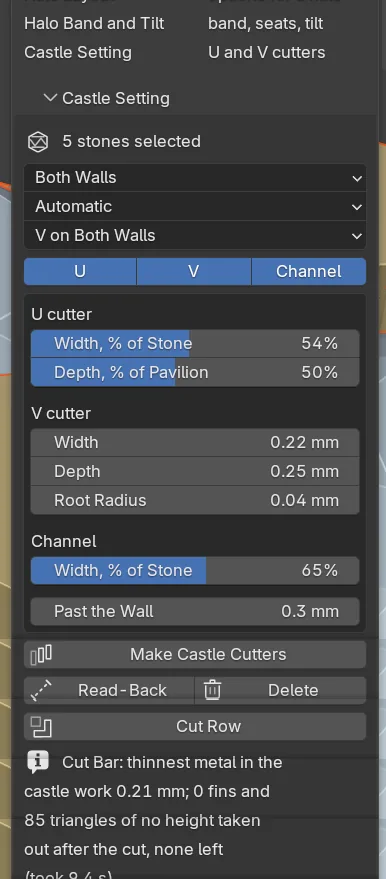
Doset the three drop-downs, which carry no labels: the first sets the walls (it reads Both Walls to start), the second the row (Automatic) and the third the V cuts (V on Both Walls). Switch U, V or Channel off to cut one kind alone.
You should seenothing yet. These choices go into the read-back and the cutters.
The first drop-down says which wall the U goes through. The third says which of those walls’ blocks the V splits. A block that gets no V is left whole: one claw shared by the two stones beside it. For a halo, use Both Walls with V Outer, Shared Claws Inner.
Step 4. Read the row first
Wherethe Castle Setting panel, Read-Back.
Doclick Read-Back.
You should seea status line, for example “Row of 5 read: all OK”, or the count of stones and block walls with a warning or not cut. Nothing is made. Every line is in the Text Editor under CJ Castle Read-Back.
If it goes wrongthe tool refuses, in one sentence and with its numbers, metal with a modifier still live (a Mirror, a Subdivision), hidden metal, and metal in an excluded collection. Apply it, show it or include its collection, then try again.
Step 5. Make the cutters
Wherethe Castle Setting panel, Make Castle Cutters.
Doclick Make Castle Cutters.
You should seeone U cutter a stone, one V cutter for each block wall and the channel, all wire in CJ Cutters. The panel adds “N castle cutters in CJ Cutters”. Making them again replaces them. Delete removes them and keeps the seat cutters.
Step 6. Cut the row
Wherethe Castle Setting panel, Cut Row.
Doclick Cut Row.
You should seeseats, U, V and channel cut in one go. The line then gives the blocks, claws and thinnest walls measured on the cut metal.
If it goes wrongCut Row does not cut metal that is not a closed body, with a face missing or open edges. The read-back says how many edges are open.
Settings
The first three rows are the drop-downs at the top of the panel. They carry no labels, so the table names each by what it sets.
| Setting | Default | What it changes |
|---|---|---|
| Walls | Both Walls | Both Walls, Outer Wall, Inner Wall, Left Wall or Right Wall. Outer and Inner follow the way the row turns seen from above. On a straight row use Left or Right. |
| Row | Automatic | Automatic, Open Row or Closed Ring. |
| V Cuts | V on Both Walls | Also V Outer, Shared Claws Inner, V Inner, Shared Claws Outer and No V: Shared Claws. |
| U cutter: Width, % of Stone | 54 % | The U’s width along the row. 20 to 90 %. It narrows to keep 0.65 mm between U cuts, never under 40 %. |
| U cutter: Depth, % of Pavilion | 50 % | How far down the U and the channel go. 10 to 100 %. |
| V cutter: Width | 0.22 mm | The V at its mouth. Never under 0.20 mm. |
| V cutter: Depth | 0.25 mm | The book gives 0.20 to 0.30 mm (p.222). |
| V cutter: Root Radius | 0.04 mm | Smooths the bottom of the V. 0 to 0.15 mm. |
| Channel: Width, % of Stone | 65 % | The channel’s width across the row. 30 to 95 %. |
| Past the Wall | 0.30 mm | How far the cutters run past the wall’s outer face. |
The read-back gives each stone and each block wall a verdict. The common ones:
| Verdict | Means | What to do |
|---|---|---|
| OK | Every figure is inside the book’s range or the add-on’s. | Nothing. |
| GAP TIGHT, GAP WIDE | The gap is outside 0.15 to 0.20 mm. | Move the stones. |
| WALL THIN, WALL WIDE | Metal beyond the girdle is outside 0.20 to 0.30 mm. | Change the band’s width. |
| U NARROWED | The U was made narrower to keep the 0.65 mm block. | Nothing, or open the gap. |
| V NOT CUT | A block is under 0.65 mm, so it is left whole. | Fewer or smaller stones, or one wall only. |
| SHARED CLAW THIN | A whole block, one claw for two stones, is under 0.45 mm along the row or 0.40 mm across the wall. | A narrower U, or a wider wall. |
Good to know
- One row or one ring at a time. The tool orders the stones itself. The second drop-down (Automatic, Open Row or Closed Ring) overrides how it reads the ends.
- Cut the row before the centre claws are joined to the piece. A claw that is still its own object is left alone.
- It does not round the claw tops or bead them. That is the setter’s work.
- It does not follow Symmetry twins. Select the row the cutters are for.
- After Cut Row the body is judged the way a printer’s software reads it. What cannot be tidied is counted, with “repair the file before it is printed”.
- Fishtail has no preset.
- Nothing here is ready to cast. A caster checks every file.