

A bezel is a metal collar round a stone. Pave sets many small stones close together, held by tiny claws or grains in the gaps. A channel sets them tight in a trench. This page covers the Bezels panel and the Pave, Channel, Halo panel. For a halo with figures, use Halo layout instead.
Where to find it
CAD/CAM tab > Setting section > Setting panel > Bezels, and > Pave, Channel, Halo. The second panel holds four boxes: Along Curve, Channel, Halo and Fill Region. Menu: Jeweller > Setting, the “Bezel, pave, channel, halo” group. Gems Along Curve and Pave Fill are also under Jeweller > Stones. There is no key.
Use it
Step 1. Collar a stone in a bezel
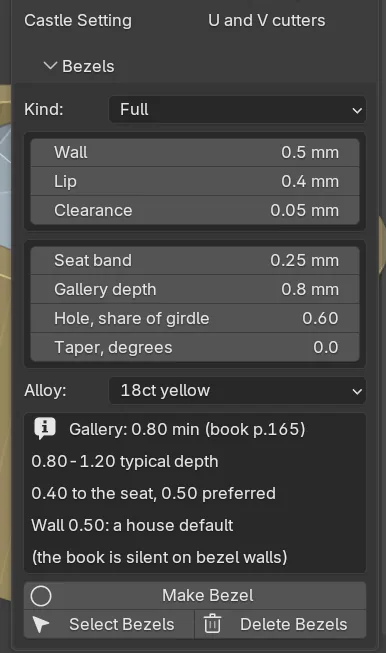
Wherethe Bezels panel.
Doselect the stones in Object Mode. Pick a Kind, then click Make Bezel.
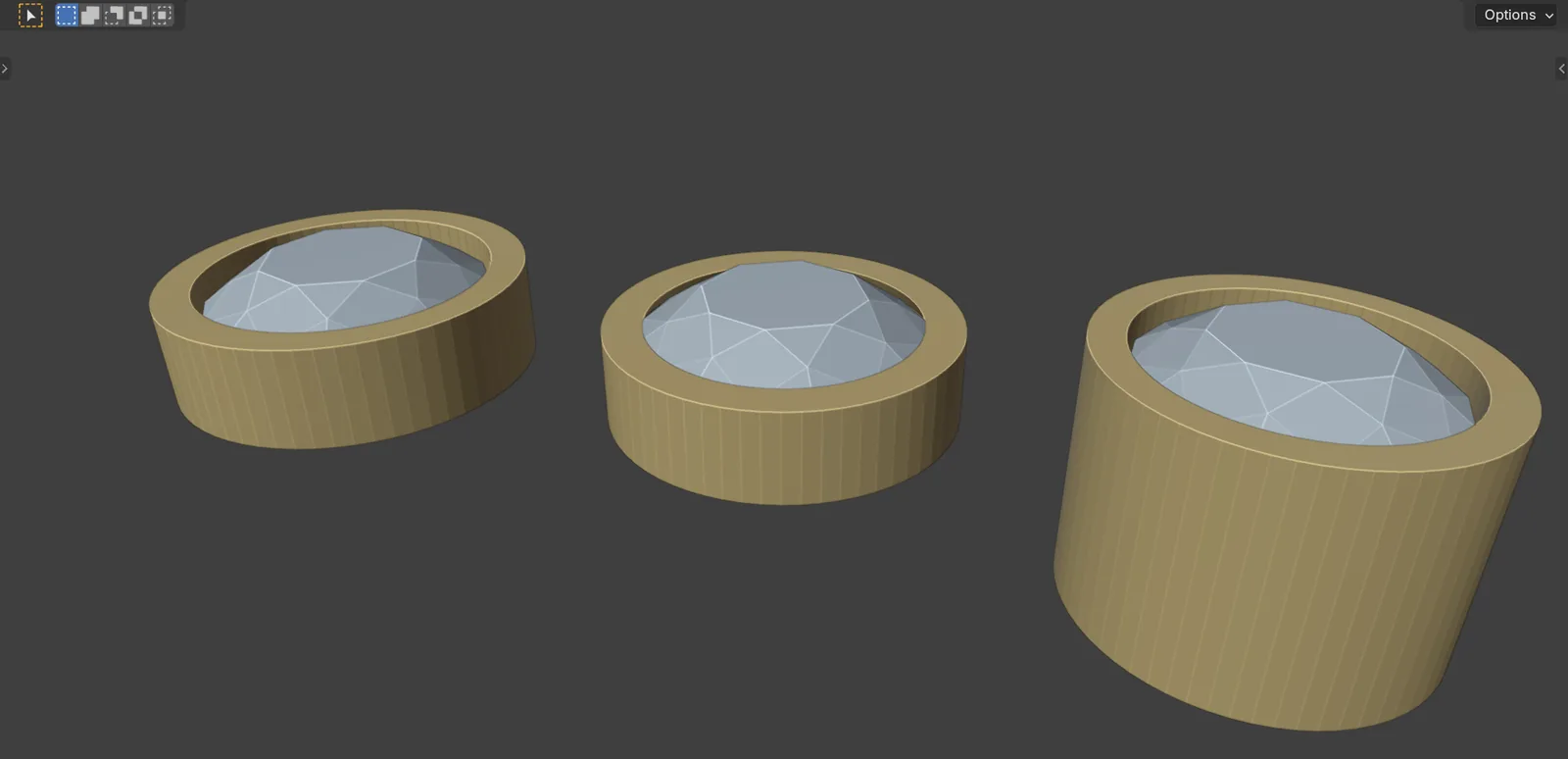
You should seea closed collar round each stone, standing above the girdle by the Lip, with a gallery below and a light hole through the base. The status bar says “1 bezel built”.
If it goes wrong“Select at least one gem” means no stone is selected.
Making a bezel again replaces the old one. Select Bezels and Delete Bezels act on the selected stones, or on every bezel when none is selected.
Step 2. Lay stones along a curve
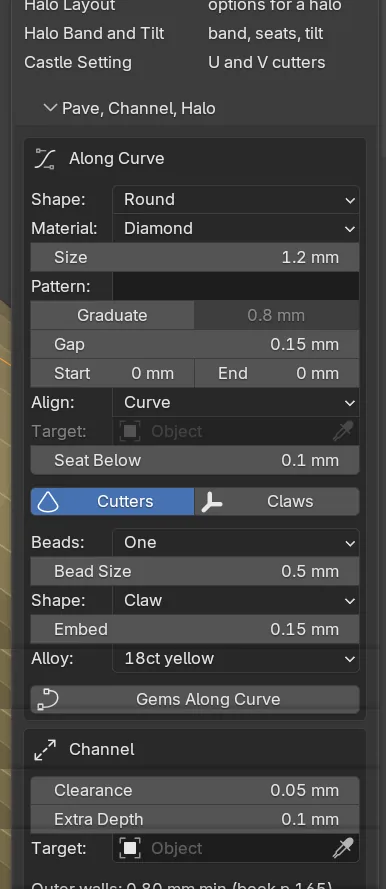
Wherethe Along Curve box in the Pave, Channel, Halo panel.
Doadd a curve with Add > Curve and shape it. Make it active. Set Shape, Material, Size and Gap, then click Gems Along Curve.
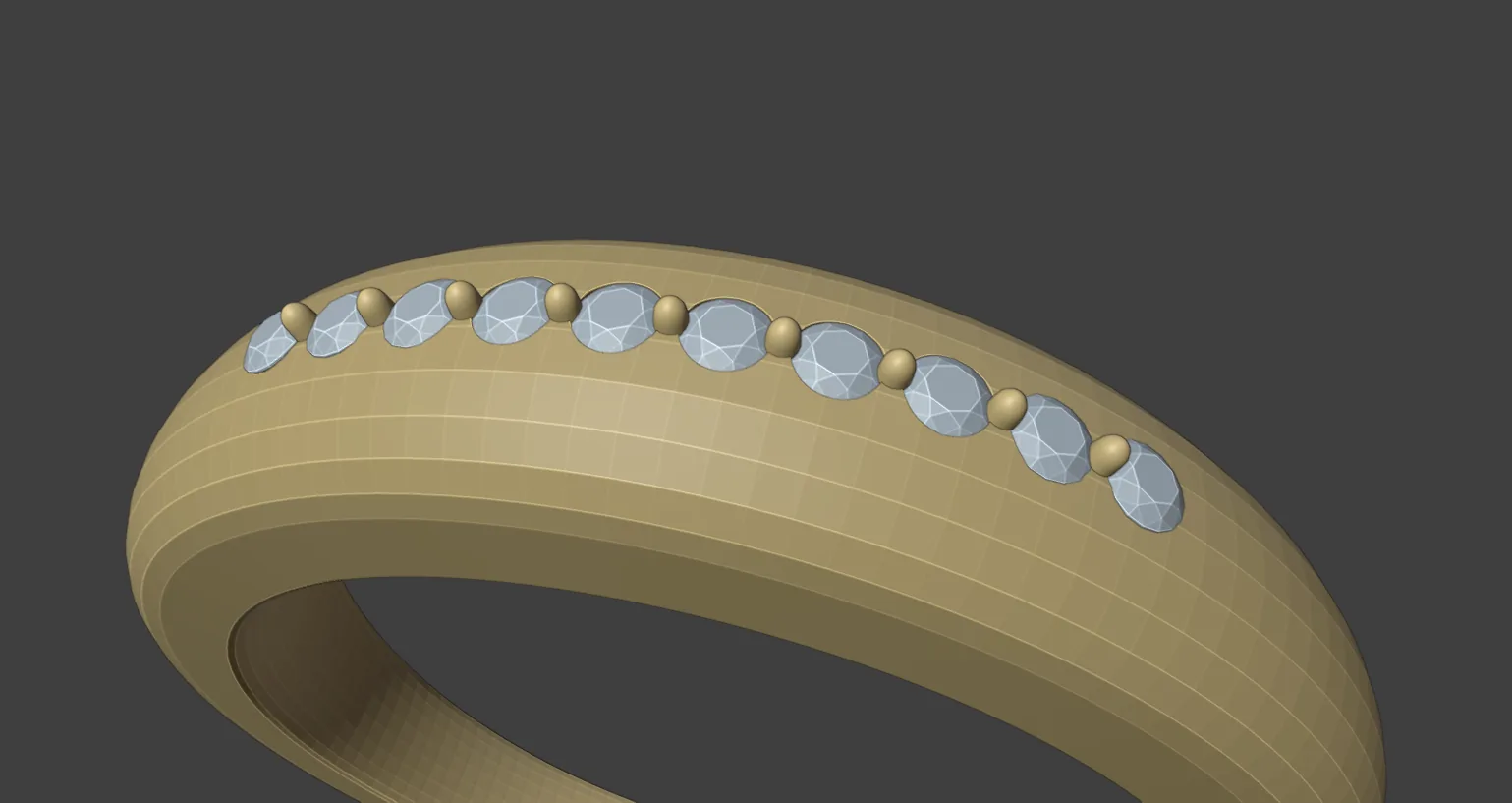
You should seestones spaced evenly by arc length along the curve, each with a seat cutter. The status bar reads, for example, “12 gems, 12 cutters”.
If it goes wronga greyed button means no curve is active. “No stone fits on” the curve means the size and gap are too big for its length. Each click adds a new run of stones, so press Ctrl+Z to take a run back before you try other settings.
Step 3. Hold the stones with claws or grains
Wherethe Along Curve box, Beads, and the Make Beads button at the foot of the panel.
Doclick a stone of the run, then Select Group. Choose One (one in each gap, on the line) or Two (two, either side). Pick a Shape: Claw or Grain. Click Make Beads.
You should seesmall round-topped claws, or balls for a grain, standing on the girdle plane in each gap.
If it goes wrong“Select two or more pave stones first” means too few stones are selected.
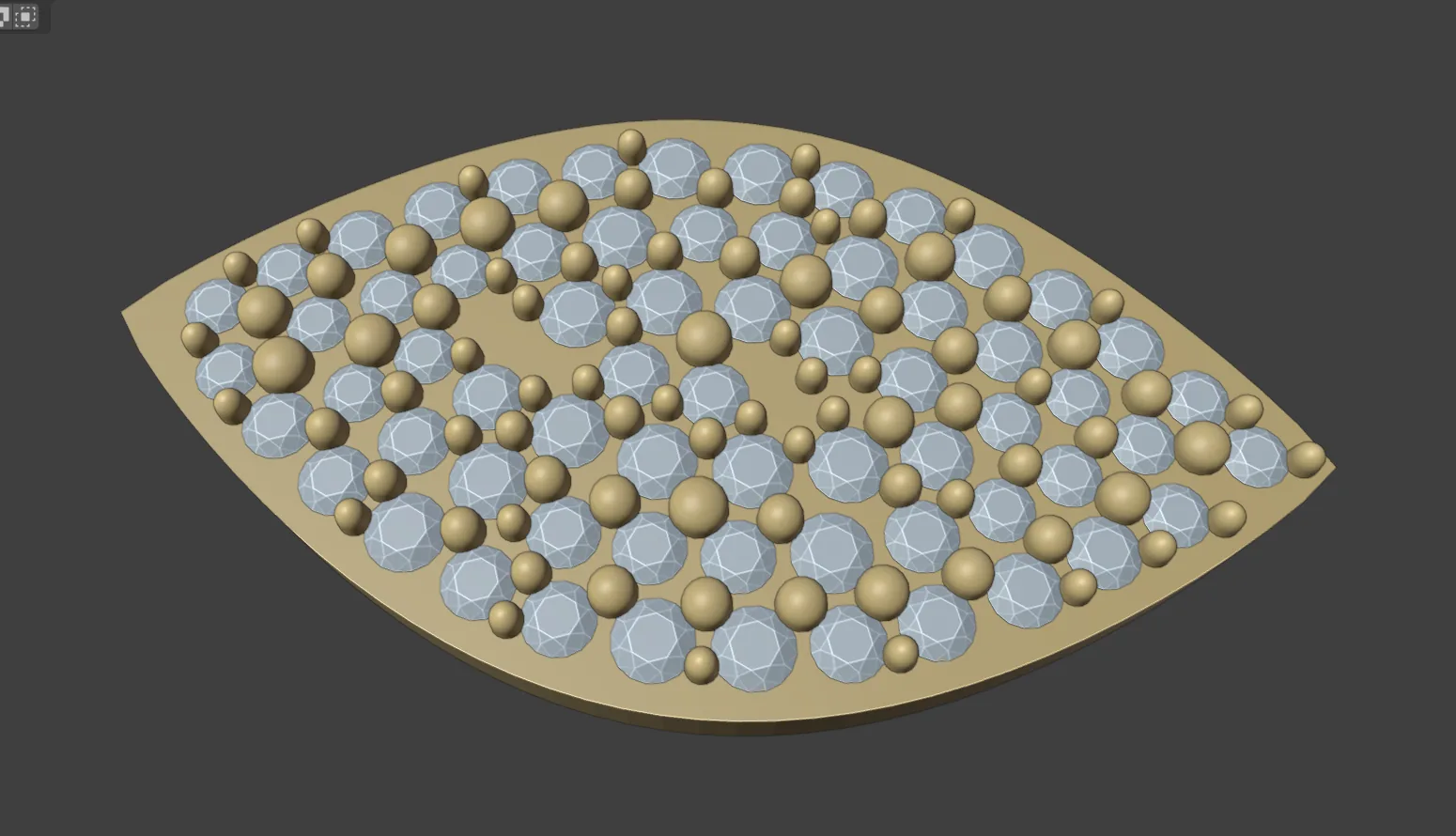
Step 4. Fill a region with graduated pave
Wherethe Fill Region box.
Domake the surface mesh the active object. Shift+click a closed curve for the boundary. Any other curve you select is a hole. Click Pave Fill.
You should seeround stones graduated between Min and Max, each girdle at least Gap from its neighbours, with Rim kept clear inside the boundary and beads between them.
If it goes wrong“Select a closed boundary curve as well” means only the mesh is selected.
Step 5. Cut a channel
Wherethe Channel box.
Domake a curve active. Pick the metal as the Target so its walls are checked. Click Make Channel.
You should seestones laid tight along the curve and a trench cutter swept under them. The status bar warns when a wall is thinner than 0.80 mm. Click Cut Metal in Seats to cut it.
Step 6. Ring a stone with a plain halo
Wherethe Halo box.
Domake the centre stone active. Set Halo Size and Halo Gap, then click Make Halo.
You should seea ring of small stones round the centre stone, parented to it. Leave Halo Count at 0 for as many as fit.
Settings
The Bezels panel.
| Setting | Default | What it changes |
|---|---|---|
| Kind | Full | Full is a closed collar. Rub over has a thinner wall and a low lip (0.40 and 0.25 mm). Tube is a turned tube for round stones. Changing it resets Wall and Lip. |
| Wall | 0.50 mm | The wall thickness, a house figure. 0.10 to 3.00 mm. |
| Lip | 0.40 mm | How far the bezel stands above the girdle. 0.05 to 2.00 mm. |
| Clearance | 0.05 mm | The gap between stone and metal. |
| Seat band | 0.25 mm | The straight bore below the girdle. |
| Gallery depth | 0.80 mm | The book asks 0.80 mm at least and 0.80 to 1.20 mm typically (p.165). |
| Hole, share of girdle | 0.60 | The light hole through the base. |
| Taper, degrees | 0.0 | How much wider the base is than the lip. 0 to 30. |
The Along Curve box.
| Setting | Default | What it changes |
|---|---|---|
| Size | 1.00 mm | The girdle width. 0.30 to 20.00 mm. |
| Pattern | empty | A repeating list of sizes, such as 1.2,1.0. |
| Graduate | Off | Ramps the size from Size down to End Size (0.80 mm). |
| Gap | 0.15 mm | Girdle to girdle. The house pave range is 0.10 to 0.20 mm. Separate parts need 0.50 mm (p.166). |
| Start, End | 0 mm | Blank curve before the first stone and after the last. |
| Align | Curve | Curve, Surface (set a Target) or Z Up. |
| Seat Below | 0.30 mm | How far the girdle sits under the surface. |
| Cutters, Claws | On, Off | Builds seat cutters or claws as stones are placed. |
| Beads | None | None, One or Two, with Bead Size 0.50 mm and Embed 0.15 mm. |
The other boxes.
| Setting | Default | What it changes |
|---|---|---|
| Channel: Clearance, Extra Depth | 0.05 mm, 0.10 mm | The gap to each trench wall, and the trench depth below the pavilion. |
| Halo: Halo Size, Halo Gap | 1.20 mm, 0.20 mm | The small stones’ width, and the gap to the centre stone and between them. |
| Halo: Halo Count, Halo Tilt, degrees | 0 (Auto), 0 | How many stones, and the outward lean. |
| Fill: Min, Max, Step | 0.90, 1.30, 0.10 mm | The ladder of stone sizes. |
| Fill: Max Step | 1 | Neighbours differ by at most this many steps. |
| Fill: Gap, Rim, Seat Below | 0.15, 0.35, 0.00 mm | The girdle gap, the metal kept clear inside the boundary, and the seat depth. |
| Fill: Beads, Cutters | On, Off | Beads between the stones, and a seat cutter for each. |
Good to know
- Make Channel lays its stones 0.08 mm apart. The Gap in the Along Curve box is not used there.
- A pave claw is never thinner than 0.35 mm. Its top stands 0.30 mm above the table of the largest stone it holds (the book’s lower bound, p.165).
- Make Halo is the plain halo: it adds no figures and leaves no gap on a claw’s line. Halo layout works the figures out first.
- Pave Fill makes round stones only. It needs a mesh to fill and a closed curve.
- Place Claws on Surface puts pave claws in the gaps by hand. See Claws.