

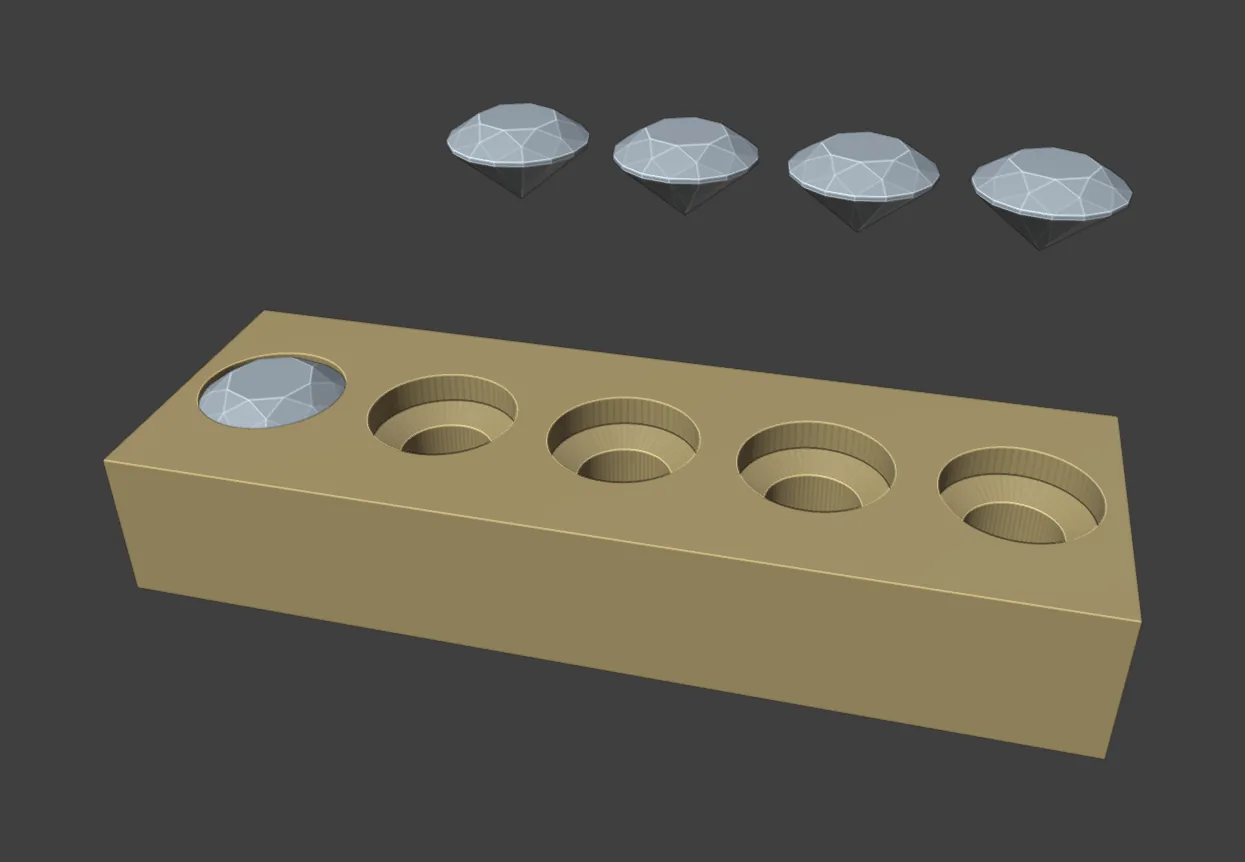
A seat cutter is the shape a stone sits in: a cone that follows the pavilion, a band that grips the girdle and a hole under the culet. Make Cutters builds one for each selected stone. Cut Metal then cuts them out of the piece. Azure cutters go one step further and open the back of the metal under a field of stones.
Where to find it
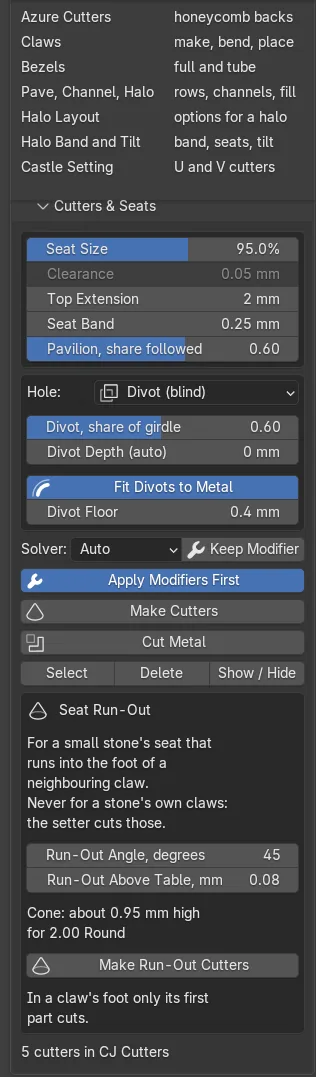
CAD/CAM tab > Setting section > Setting panel > Cutters & Seats, with the Seat Run-Out box inside it, and the Azure Cutters panel next below it. Menu: Jeweller > Setting, the Seats and Azures groups. Pie: press J, then Make Cutters (top right). There is no key of its own.
Use it
Step 1. Select the stones, then the metal
Wherethe 3D view, in Object Mode.
Doselect the stones, then Shift+click the metal last so it is the active object.
You should seethe metal in the brighter outline, the stones in the darker one.
Step 2. Choose the hole under the stone
Wherethe Cutters & Seats panel, the Hole drop-down.
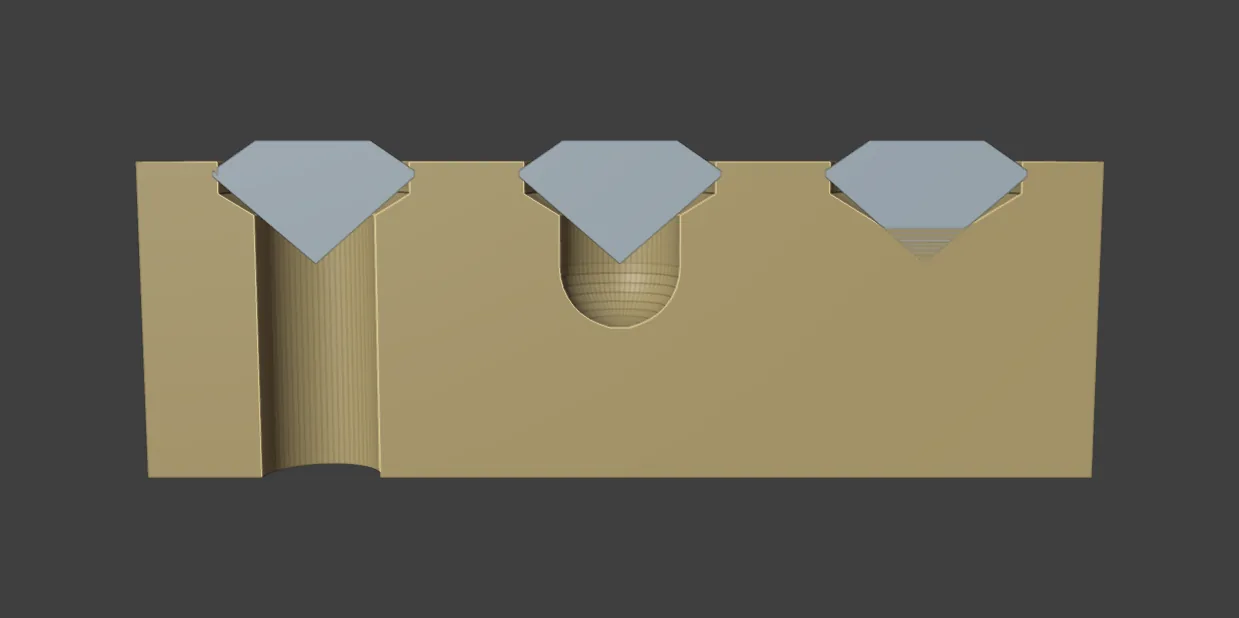
Dopick Through (azure hole), Divot (blind) or None.
You should seeThrough adds Hole, share of girdle and a Depth: row. Divot adds Divot, share of girdle, Divot Depth (auto), Fit Divots to Metal and Divot Floor.
| Hole | Use it where | What it leaves |
|---|---|---|
| Through (azure hole) | The metal is thick enough for a clean hole and light should reach the pavilion. | A hole to the back. The stone can be pushed out. |
| Divot (blind) | The metal is thin: petals, leaves, thin shanks, pave on a curve. | A round-ended pocket under the culet, and a whole back face. |
| None | A closed-back setting. | The seat ends at the pavilion cone. |
Step 3. Make the cutters
Wherethe Cutters & Seats panel, Make Cutters.
Doclick Make Cutters.
You should seewire shapes at each stone in the CJ Cutters collection. The status bar says “4 cutters made” for four stones. With the metal active, divots and holes are fitted to it.
If it goes wrong“Select one or more gems first” means no stone is selected.
Step 4. Cut the metal
Wherethe Cutters & Seats panel, Cut Metal, with the metal active.
Doclick Cut Metal.
You should seethe seats cut. The status bar gives the number of seats and whether the result is manifold.
If it goes wrong“No cutters found for this object” means the stones have no cutters yet. Do Step 3.
Step 5. Run a seat out into a claw’s foot
Wherethe Seat Run-Out box inside Cutters & Seats.
Doselect the small stones beside a centre claw, not the centre stone. Leave Run-Out Angle, degrees at 45 and click Make Run-Out Cutters. Then, with the metal active, click Cut Metal.
You should seethree lines under the button: how many cutters, how high the cone stands, and “Then Cut Metal”. The seat runs out inside the claw with no flat ledge.
Step 6. Open the back with azure cutters
Wherethe Azure Cutters panel, next below Cutters & Seats.
Domake the metal active. Select the stones to open, or none to take every stone on the piece. Click Azure Cutters, then Cut Metal.
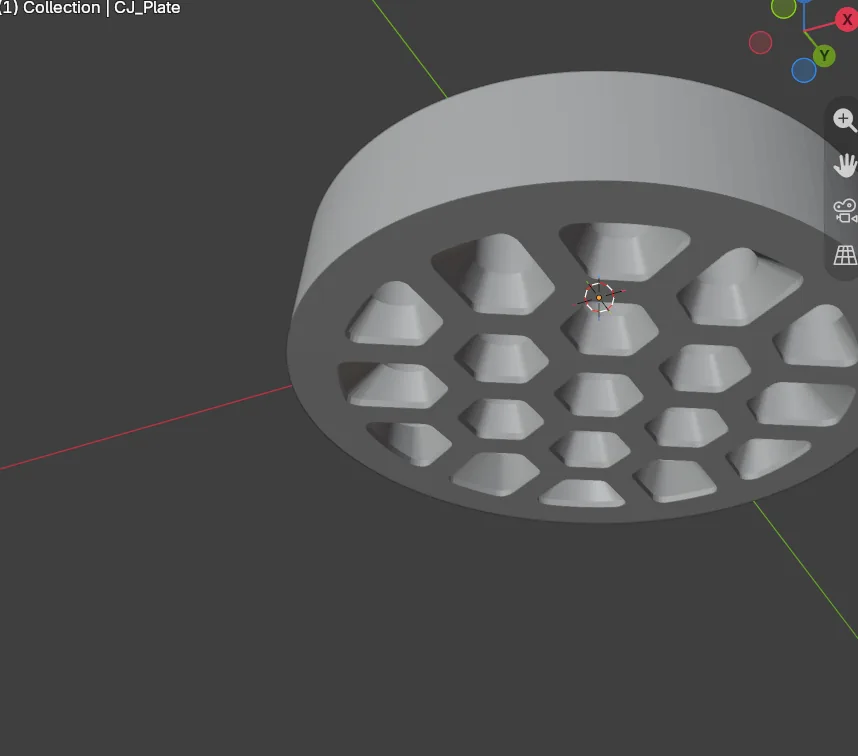
You should seea line such as “31 funnels, 4 round, 1 none; rib 0.40, wall 0.60; saves 212 mm3”. Each stone has one verdict. Nothing is cut until Cut Metal, so you can change a setting and click again. The cutters are replaced, never doubled.
If it goes wronga stone with no azure has its reason and its numbers in the line and in Check. A refused ring or dome usually needs a thinner band, smaller stones, a wider gap or a smaller hole.
| Verdict | What it means |
|---|---|
| Funnel | The full cell opens out to the back. |
| Round | A round opening the size of the seat’s hole, straight to the back. |
| None | No azure. The stone keeps its seat. |
Check reports on the azures: moved stones, stones left round or closed, thin walls and the metal taken in grams. Remove deletes the azure cutters and keeps the seat cutters.
Settings
| Setting | Default | What it changes |
|---|---|---|
| Seat Size | 95 % | The seat as a share of the girdle. 80 to 105 %. Under 100 % the seat is that share of the girdle and Clearance is not used. |
| Clearance | 0.05 mm | Gap between girdle and seat wall at 100 % and over. 0 to 0.50 mm. |
| Top Extension | 2.00 mm | How far the cutter rises above the girdle. |
| Seat Band | 0.25 mm | The straight wall below the girdle. |
| Pavilion, share followed | 0.60 | How far down the pavilion the cone follows. 0.10 to 0.95. |
| Hole, share of girdle | 0.60 | Through hole width. 0.10 to 0.95. |
| Hole Depth | x Stone | x Stone runs 0.25 of the girdle past the culet. Fit to Metal goes through the first wall plus 0.10 mm. Fixed is 2.00 mm. |
| Divot, share of girdle | 0.60 | Divot width. 0.40 to 0.80. |
| Divot Floor | 0.40 mm | The least metal under a divot’s round end. 0.50 mm is preferred. |
| Run-Out Angle, degrees | 45 | The cone’s angle to the stone’s axis. 20 to 70. A smaller angle stands higher. |
| Run-Out Above Table, mm | 0.08 | How far the cutter stands straight above the table before it closes. |
| Solver | Auto | Auto, Manifold, Exact or Fast. Auto takes Manifold where Blender has it. |
| Apply Modifiers First | On | Applies live modifiers before the cut. |
The Azure Cutters panel. A value typed under its least is raised to it, and the line says so.
| Setting | Default | What it changes |
|---|---|---|
| Rib | 0.40 mm | Metal between two cells. Least 0.30 mm. |
| Outer Wall | 0.60 mm | Metal between a cell and any edge or side. Least 0.40 mm. |
| Under the Seat | 0.40 mm | Metal kept under the seat’s cone. Least 0.30 mm. |
| Corner Radius | 0.15 mm | The radius of a cell’s inside corners. |
| More: Step, Overhang, Min Opening, Edge Reach, Max Depth | 0.10 mm, 0.10 mm, 0.50 mm, 1.6, 5.0 mm | The straight wall at the back, how far the cutter passes the back, the narrowest cell, how far a lone cell runs, and the deepest metal that gets an azure. |
| Hole Follows the Seat | On | Off lets you set Hole Size instead. |
| Make Missing Seats | On | A stone with no seat cutter gets one first. |
Good to know
- The cutters are wire and never render. Select, Delete and Show / Hide work on them.
- Making cutters again on a stone replaces its old cutter.
- Run Azure Cutters before the azures are cut. If a stone moves afterwards, the panel says its azure is out of date. Run it again.
- Seat Size, Clearance, Top Extension, Seat Band, Pavilion and the hole are the panel’s own figures, house defaults where the book is silent.
- Nothing here makes a piece ready to cast. A caster checks every file.