

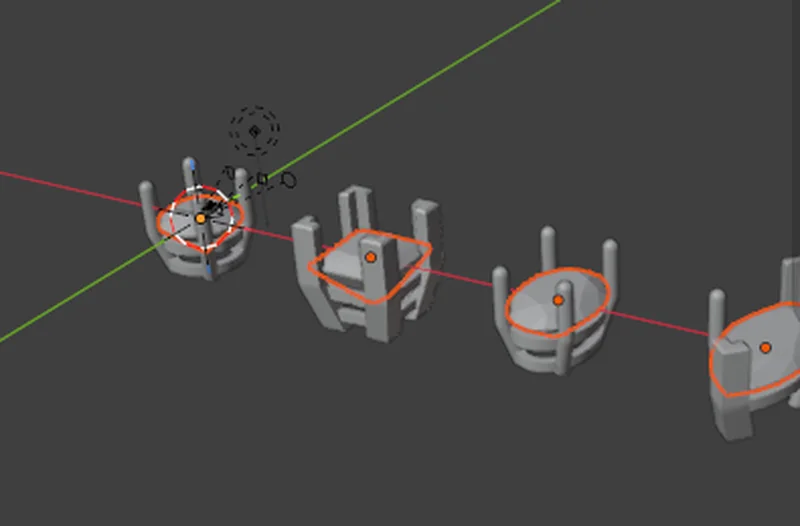
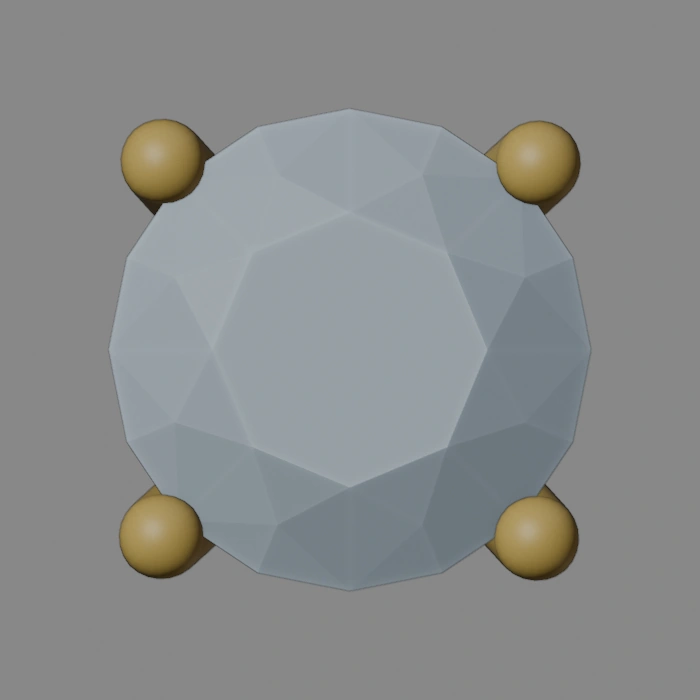
The Head Builder makes the head that holds a stone the way it is made on the bench. Each claw is one continuous bar from its foot to a rounded tip, a V claw stands at every point and corner, and a seat rail hidden under the stone holds it, so from above only the stone and the claws show. Reach for it when a stone needs a production head.
Where to find it
CAD/CAM tab > Setting section > Head Builder. Menu: Jeweller > Setting.
Use it
Step 1. Select the stones
Wherethe 3D view, in Object Mode.
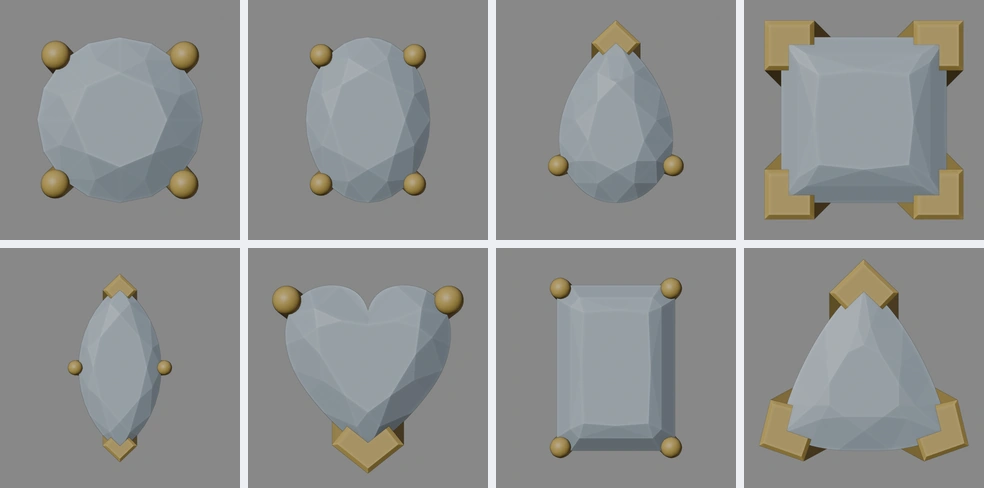
Doclick a stone, then Shift+click the others. Any of the add-on’s stones of 2.00 mm or more across its narrower side will do, in any cut and any size: round, oval, princess, marquise, pear, emerald, heart or trillion.
You should seethe stones selected, and the panel saying how many.
If it goes wronga stone under 2.00 mm, or one the head cannot be swept round, is refused in words that say why. For small stones use the Bezel or the Under-Bezel in Stone Settings.
Step 2. Pick the claws and the rail
Wherethe Head Builder panel.
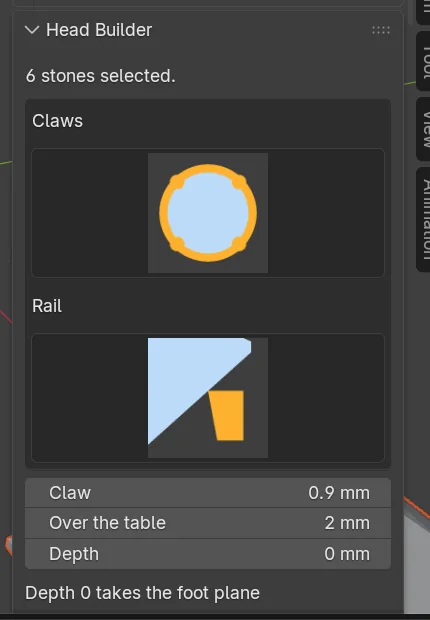
Doclick a picture under Claws: 4 claws (on the diagonals; on an oval, 35 degrees either side of its long axis), 6 claws (two on the band’s line, or on the oval’s long axis) or 4 pairs. Then click a Rail picture: the seat rail, eased, rounded or tapered.
You should seethe pictures pressed.
Step 3. Check the three numbers
Whereunder the pictures.
Doleave Claw (the diameter), Over the table (2.00 mm) and Depth (0 takes it from the stone) as they are for a first head.
You should seea short sentence under them saying what Depth 0 does.
Step 4. Make the heads
Wherethe Head Builder panel.
Doclick Make Heads.
You should seeone head on each stone, a child of its stone. Every head of the set shares the same sections and numbers: move a number or a point of a section and every head redraws.
Step 5. Make it real
Wherethe Head Builder panel.
Doclick Make Real for production. For a prototype, select the head and a shank and click Prototype.
You should seewith Make Real, every head of the set as one closed body each, in CJ Metal, with its volume and weight. The live head is hidden, not deleted, so it can be made real again after a change. With Prototype, head and shank fused into one body and parted again at the foot plane through the claws only.
What is made
- Claws. One section is swept along one path: a rounded tip 2.00 mm over the table, upright through the girdle and the setter’s notch, then a bend into a lean so the claws come in under the stone to the hidden rails, and a foot cut flat. Each claw passes the girdle by the bite (0.25 mm), uncut: the setter cuts the notch. There is no cup, no collar and no ball in a claw.
- V claws. At a point or a corner (a pear or heart point, a marquise end, a princess or trillion corner) the claw is a chevron whose two inner faces run along the stone’s two edges. Arms is one number for both arms. Top chamfer cuts the outer top edges and the arm ends at 45 degrees. The cut corners of an emerald or a radiant keep plain claws. The V claw box shows only when the set holds a point or a corner.
- The seat rail, hidden. Seen from above, every rail stands Inside the girdle (0.10 mm) inside the girdle line, so only the stone and the claws show. The stone rests on the rail’s inner edge, on its own pavilion, all round any cut except the half moon. The rail’s top drops under the girdle by the least depth that hides it, about 0.55 mm on a 5.00 mm round. Below the seat point the inner face leans back out. The stone bears on a short land 0.12 mm long, cut to its own pavilion angle and as steep as a pavilion 25 % deeper plus 2 degrees, so the stone, and a deeper one, bear on its top edge as a seat cut at the bench does.
- The second rail. An optional plain rail lower down, hidden by the same rule. Under small stones there is no room for it: it is left out and the panel says so.
- Room for a real stone. Below the seat every part stands at least 0.05 mm outside a pavilion 25 % deeper than the ideal.
The list and the sections
A list at the top of the panel shows one row for each set of heads, for example “Head, 2 stones”. It works as it does in Stone Settings: click a row to select its heads, press the plus to give the selected stones the same head, press the bin to remove the set and everything made for it.
The section row picks Rail, Second rail or Claw, then Edit Section, Show Section, Save or Reset, and Make Default or Remove Saved. The Name box names the section to save or remove. A saved section is kept for every file, and each kind keeps its own: a claw section never replaces a rail’s.
Open the seat rail’s or the second rail’s section in Edit Mode and a plate beside the point you move shows the head’s own figures: Inside the girdle (seen from the top), Under the girdle (the rail’s top), Seat (how far the rail stands off the pavilion), Room (a pavilion 25 % deeper resting on the rail, how much higher and how clear) and the rail’s top and height. Alt+G slides the point and the heads rebuild as you slide.
Settings
| Setting | Default | What it changes |
|---|---|---|
| Claw | 0.18 x the stone’s width | The claw’s diameter, never under 0.60 mm (0.90 mm on a 5.00 mm stone). A warning under 0.60 mm and a refusal under 0.35 mm. |
| Over the table | 2.00 mm | How far the claw tip stands above the table, read off the stone itself. |
| Depth | 0 | How far down the foot plane stands. 0 takes it from the stone. |
| Inside the girdle | 0.10 mm | How far inside the girdle line the rail’s outer face stands, seen from above. Never under 0.05 mm. Under More. |
| Bite | 0.25 mm | How far a claw passes the girdle, uncut. Under More. |
| Lean, Bend | 20 degrees, 0.80 mm | How the claw leans in under the stone, and the bend’s radius. Under More. |
| Window | 0.80 mm | The gap between the seat rail’s foot and the second rail’s top. Under More. |
| Seat rail | 0.70 mm tall, 0.50 mm top | The rail’s section: pick another under Rail, or use Edit Section and slide its points. It has no number row of its own. |
| Arms | 1.10 x the claw | Each V claw arm’s reach along its edge, never under 0.60 mm. |
| Top chamfer | 0.15 mm | The 45 degree chamfer on a V claw’s outer top edges. 0 is a flat top. |
Good to know
- The claw line in the checks gives a verdict first, then the figures it is measured against.
- A number a head cannot take is refused in words that name it (Inside the girdle, Lean, Bend or the rail section). It is never built into a broken body.
- On stones of 2 to 4 mm the seat rail stays 0.25 to 0.30 mm wide so that it is a rail and not a cup, and the Check box says it is under the book’s 0.60 mm least wall.
- A small heart may leave its second rail out. The Check box says so.
- Claws, rails and sections are the house’s own proposals where the book is silent. Move them at the bench.