
What you will do
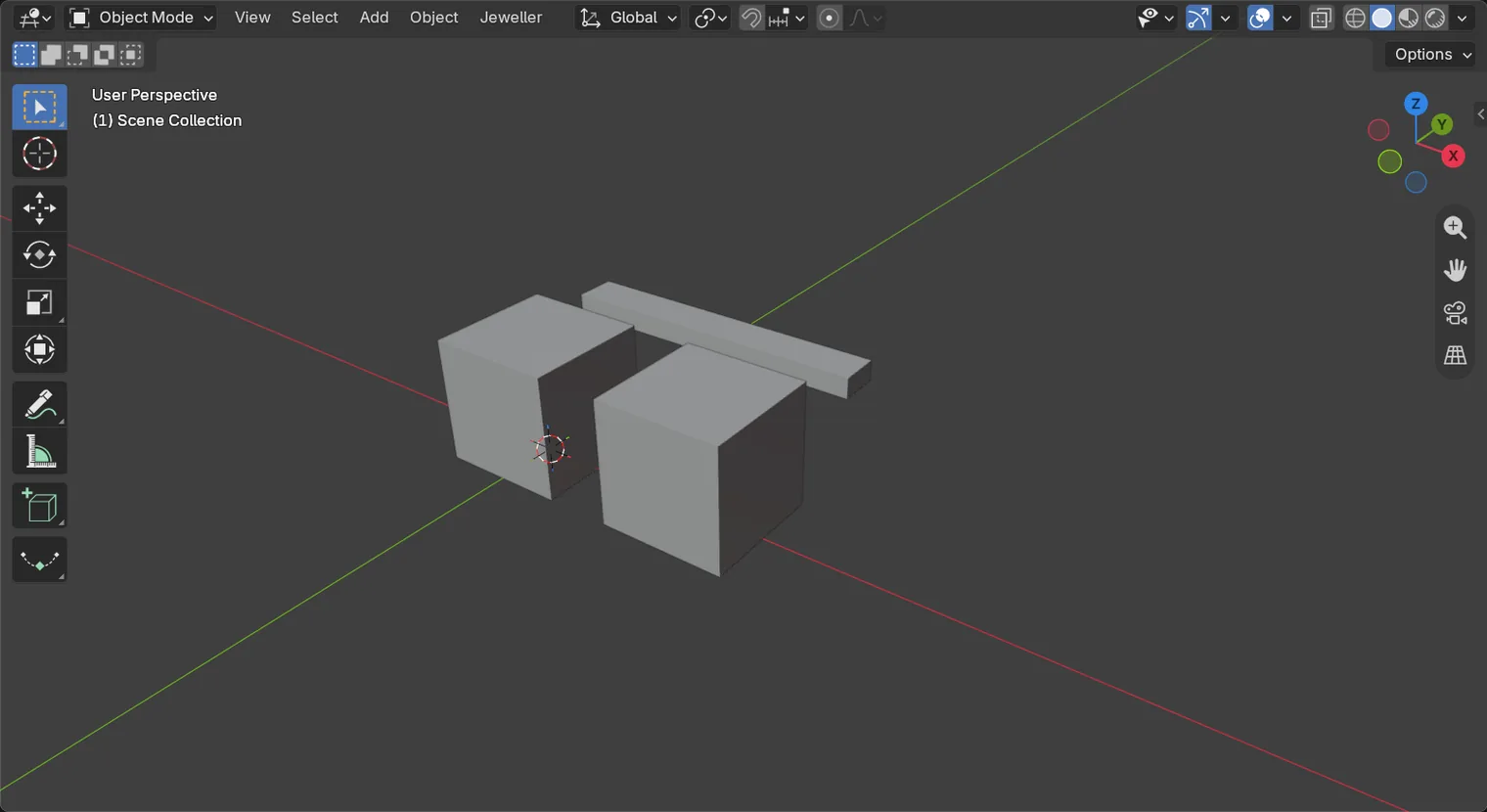
You will make a second box 15 mm from the first, and delete the Disc. A jeweller copies a form to make a pair, such as two earrings or two claws, and deletes what is not wanted.
About 5 minutes.
Files
- p0-11-start.blend (102 KB): open this one to begin.
- p0-11-finished.blend (100 KB): the result, to compare with yours.
Both were made in Blender 5.2.0.
Before you start
- You can open a file and save a copy of it: Open an exercise file and keep the start file safe (P0-07).
- You can move a form by a typed number: Move, turn and scale by a typed number (P0-10).
Build it
Step 1. Open the start file and save your own copy
WhereThe top bar: the row of words that begins File, Edit.
DoDownload p0-11-start.blend from Files above and open it. Then choose File > Save As and save it under the name below, in a folder of yours. Open an exercise file and keep the start file safe (P0-07) shows how.
Typemy-copy.blend
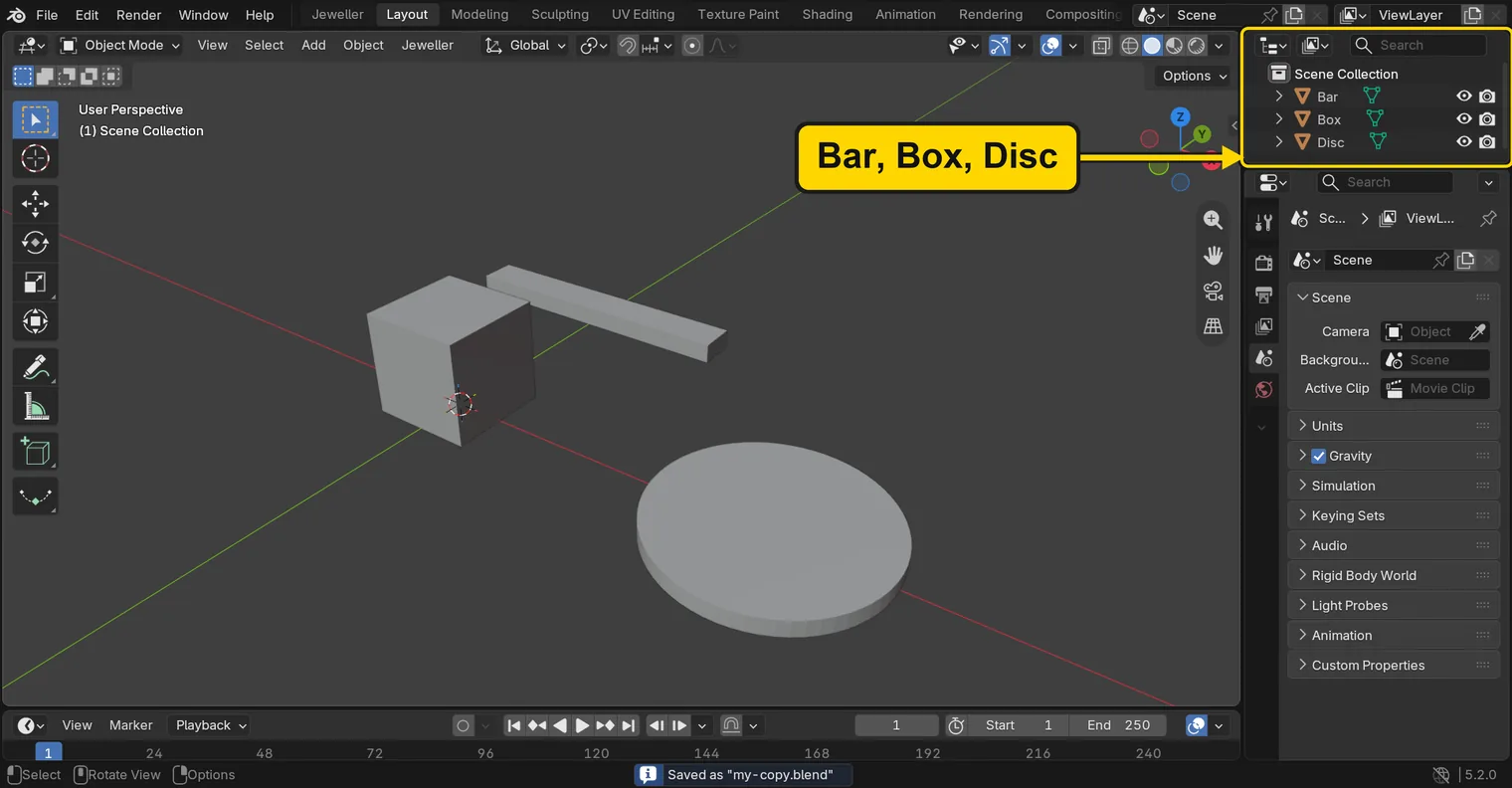
You should seeThe 3D view shows a box, a bar and a disc. The Outliner, the list at the top right of the window, lists Bar, Box and Disc, and the title bar, the strip above File and Edit, begins my-copy.
It worked whenThe title bar begins my-copy.
Step 2. Select the Box
WhereThe 3D view: the box in the middle of it.
DoClick the box once.
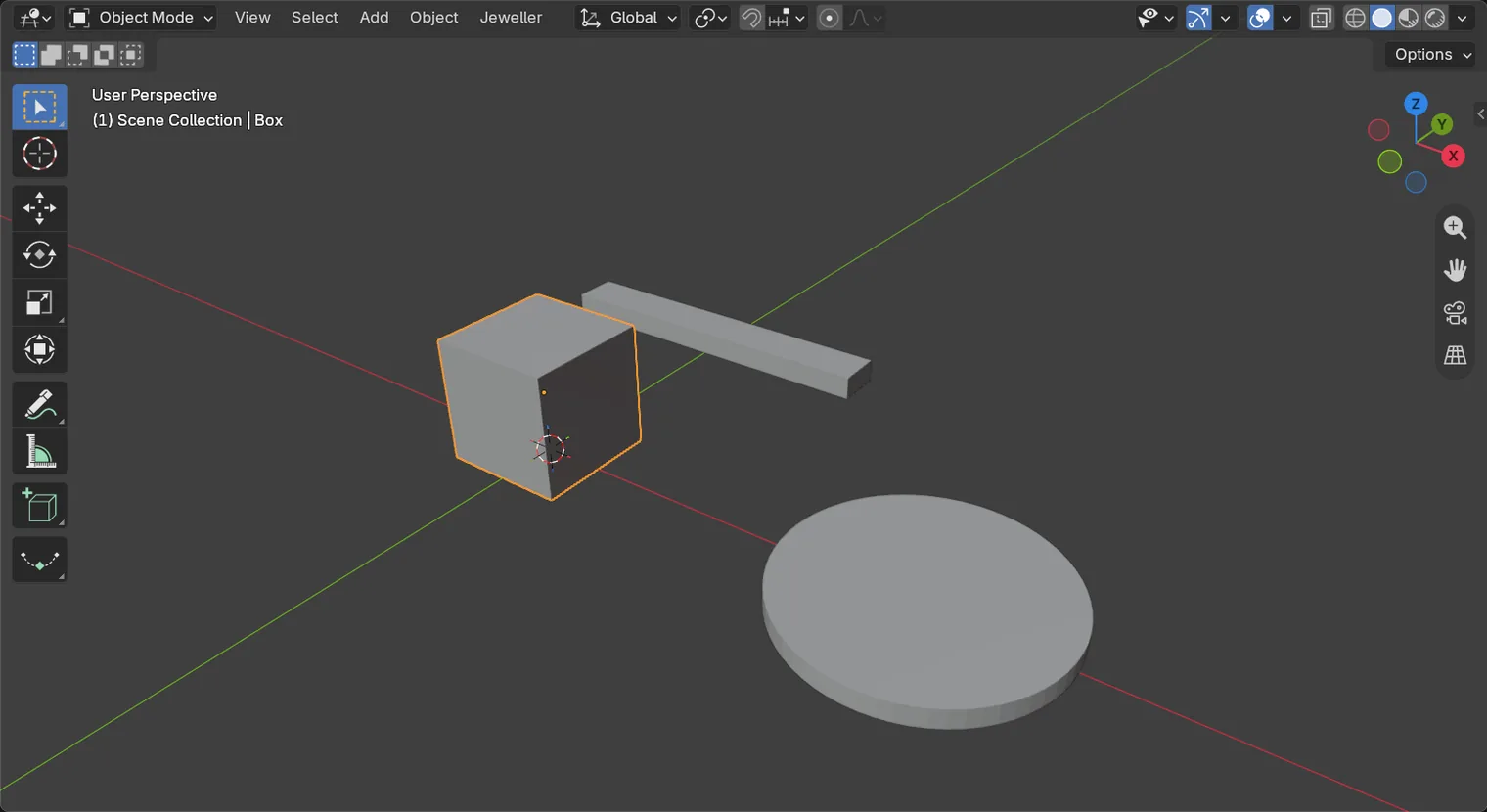
You should seeThe box has an orange outline. Shift+D copies what is selected, so the box must be selected first.
It worked whenThe box is outlined and the words at the top left of the 3D view name the Box.
Step 3. Copy it and slide the copy 15 mm
WhereThe 3D view: the pointer stays over it.
DoPress Shift+D, then X, then 1 and 5 on the number row, then Enter.
You should seeA second box stands 15 mm along the X line from the first. Blender named it Box.001, and its row is new in the Outliner. The copy is the selected, active one.
It worked whenThe Outliner lists Bar, Box, Box.001 and Disc, and the words at the top left name Box.001.
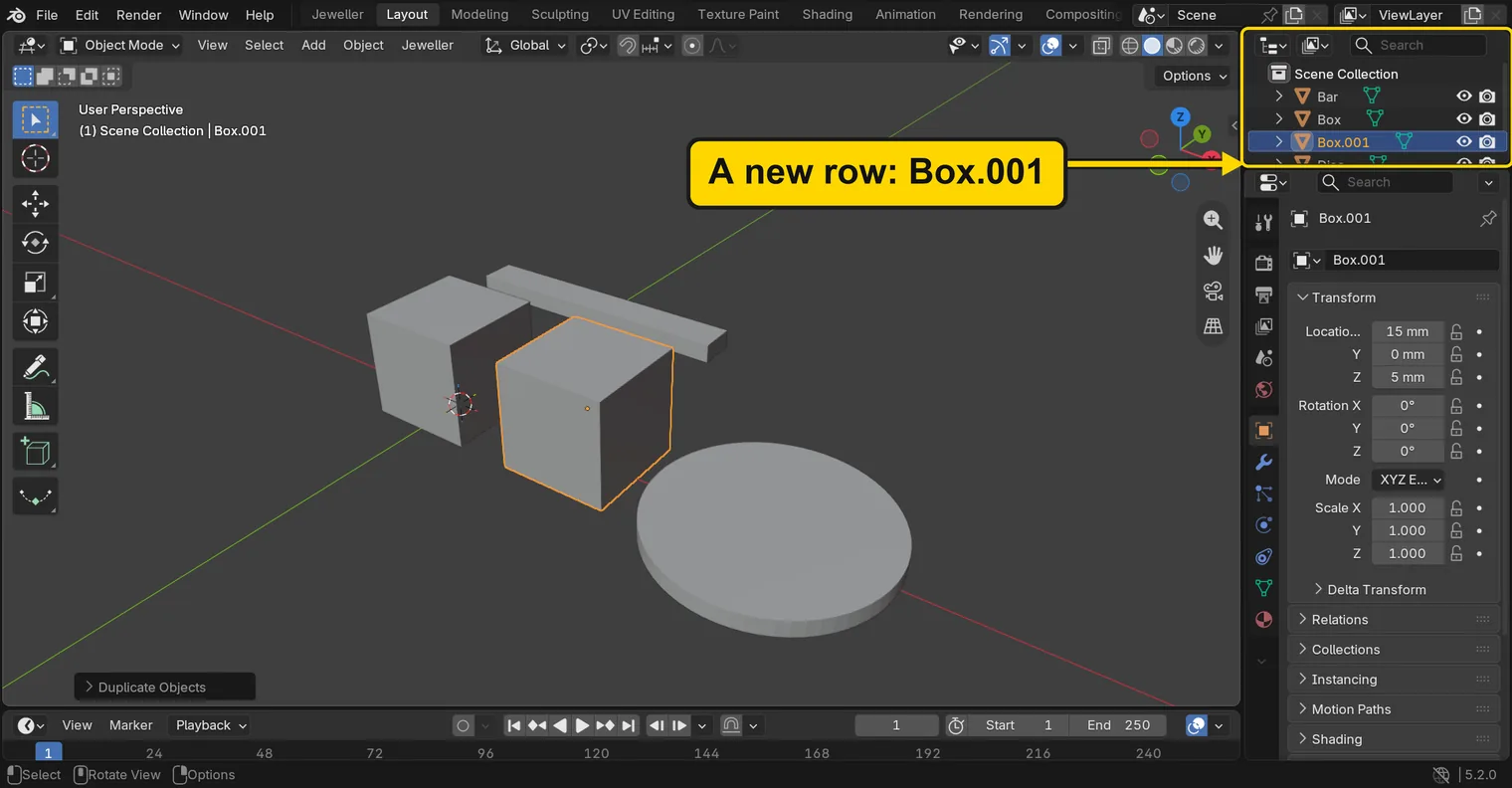
Shift+D, X, 15, Enter: Box.001 stands 15 mm from the BoxIf it goes wrongTwo boxes stand on one spot: you pressed Esc after Shift+D. Esc stops the move but keeps the copy, which sits on the original. Press Ctrl+Z once, then do it again.
Step 4. Select the Disc
WhereThe 3D view: the flat round disc.
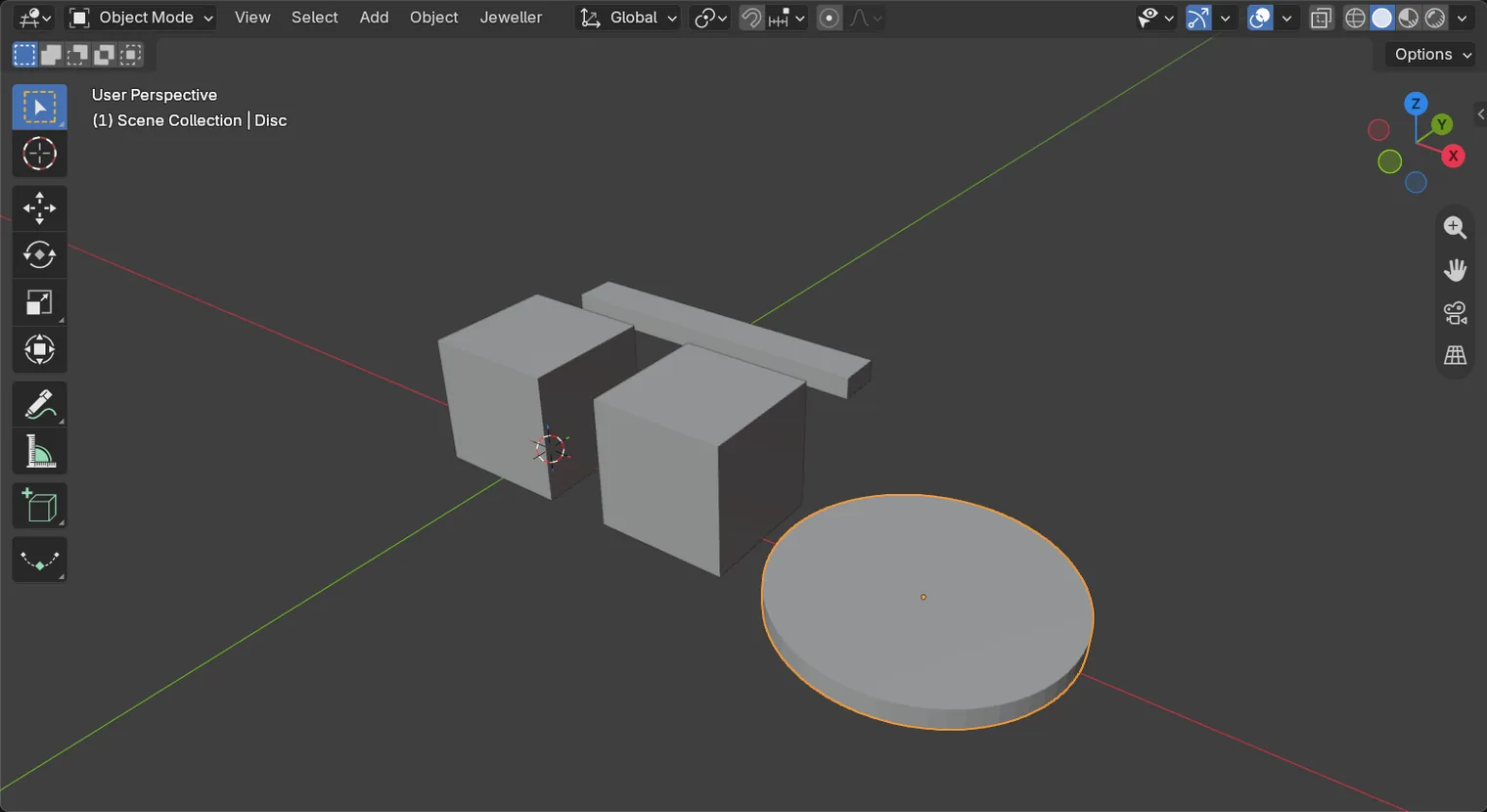
DoClick the disc once.
You should seeThe disc has an outline now, and the boxes do not.
It worked whenThe words at the top left of the 3D view name the Disc.
Step 5. Ask to delete with X
WhereThe 3D view: the pointer stays over it.
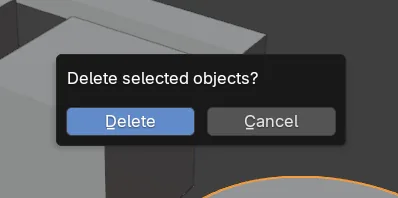
DoPress X.
You should seeA small box opens at the pointer and asks “Delete selected objects?” with two buttons, Delete and Cancel. Nothing is deleted yet. Esc shuts the box and keeps the disc.
It worked whenThe small box with Delete and Cancel stands in the 3D view.
X asks firstStep 6. Delete the Disc
WhereThe small box that X opened.
DoClick Delete.
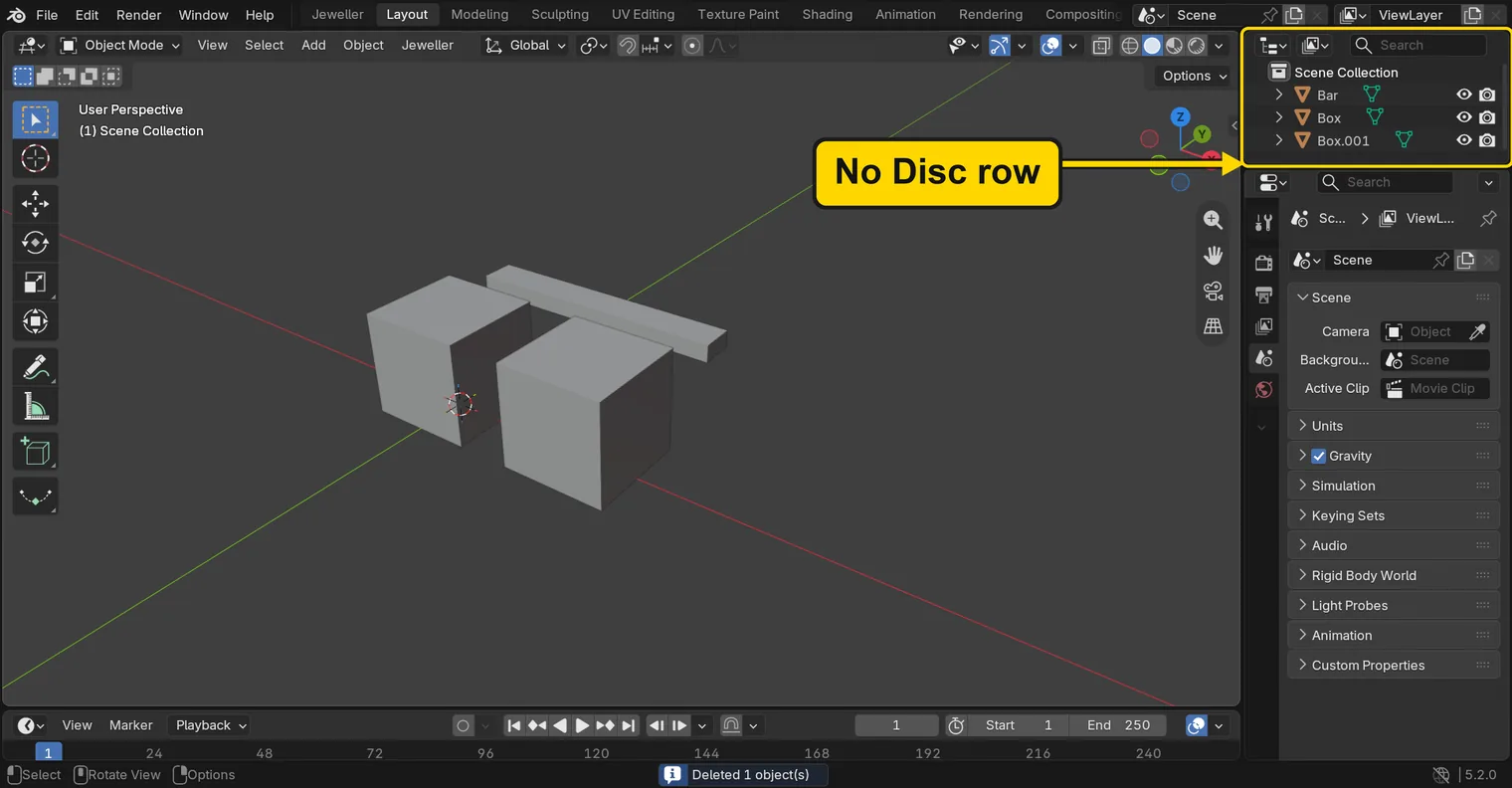
You should seeThe disc is gone from the 3D view, and its row has gone from the Outliner.
It worked whenThe Outliner lists Bar, Box and Box.001, and no Disc.
Step 7. Save your work
WhereThe 3D view: move the pointer over it.
DoPress Ctrl+S.
You should seeBlender writes your copy at once, with no question, because the file already has a name. An asterisk, *, in the title bar marks changes that are not saved, and it goes now. Save your work and get it back (P0-12) says more about saving.
It worked whenThe title bar begins my-copy, and no asterisk stands in it.
No picture: the only change is a message on the status bar, and it fades.
Check your result
| What to read | Where | What it should say |
|---|---|---|
| The forms in the file | The Outliner, at the top right of the window | Bar, Box and Box.001 are listed, and Disc is not |
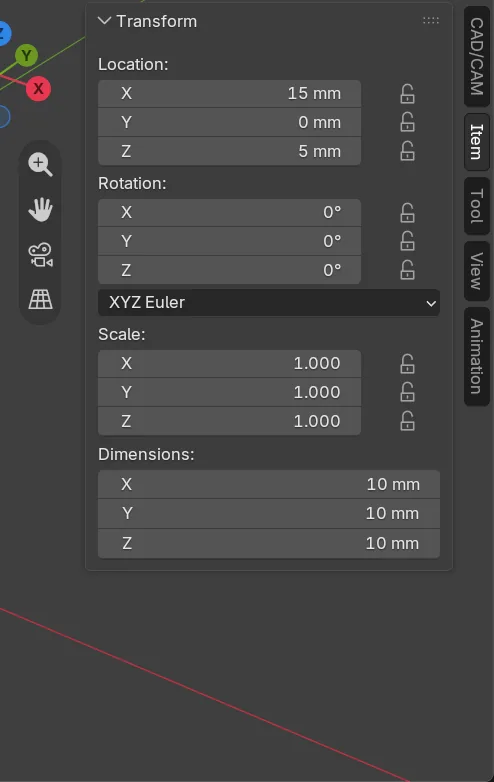
| The copy’s place | Click Box.001 in the Outliner, then the Item tab: Location | X reads 15 mm |
Try it yourself
Open your copy again, click the row Box.001 in the Outliner, and press Delete with the pointer over the 3D view: the copy goes at once, with no question. Then press Ctrl+Z: it comes back.
What you learned
Shift+Dcopies what is selected, and the copy is the one that moves. TypeX, a number andEnterto place it exactly.- A copy takes its original’s name and a number, so the Box’s copy is Box.001.
Xasks before it deletes.Deletedoes not ask.