
What you will do
You will press one key, N, in two places and get two results. A key in Blender goes to the area under the pointer, wherever you last clicked. When a key seems to do nothing, this is nearly always why.
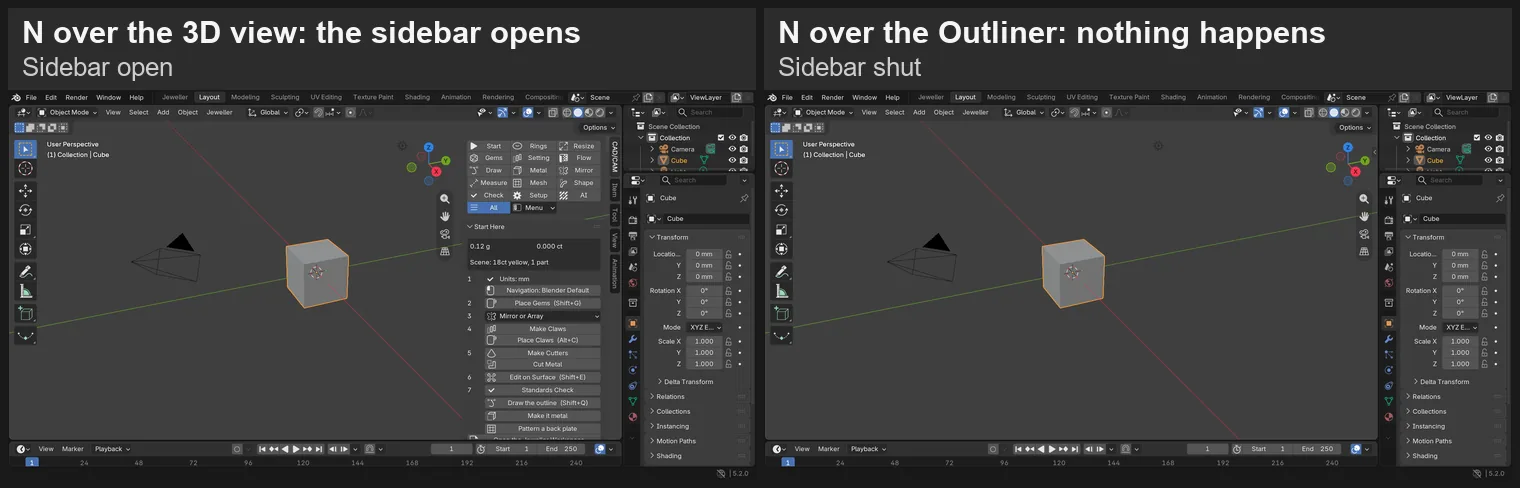
About 5 minutes.
Files
No file to download. You begin from Blender’s own File > New.
Before you start
- You know the names of the parts of the window: the 3D view, the sidebar and the Outliner are on the labelled picture in Name every part of Blender’s screen (P0-02).
- The pictures cannot show your pointer, so a label says where it stands.
Build it
Step 1. Start a new file
WhereThe top bar: the row of words that begins File, Edit.
DoStart a new file: File > New > General, as in Name every part of Blender’s screen (P0-02).
You should seeA new file: a grey cube in the middle of the 3D view, with a camera and a light round it.
It worked whenIn the Outliner, at the top right of the window, you can read Camera and Cube.
No picture: the menu is pictured in Name every part of Blender’s screen (P0-02).
If it goes wrongA box asks whether to save your changes: press Don’t Save. You only have Blender’s own cube to lose.
Step 2. Press N over the 3D view
WhereThe 3D view: the large dark area in the middle of the window.
DoMove the pointer over the 3D view, then press N once.
You should seeThe sidebar opens at the right of the 3D view.
It worked whenThe sidebar stands at the right of the 3D view, with its tabs on its right edge.
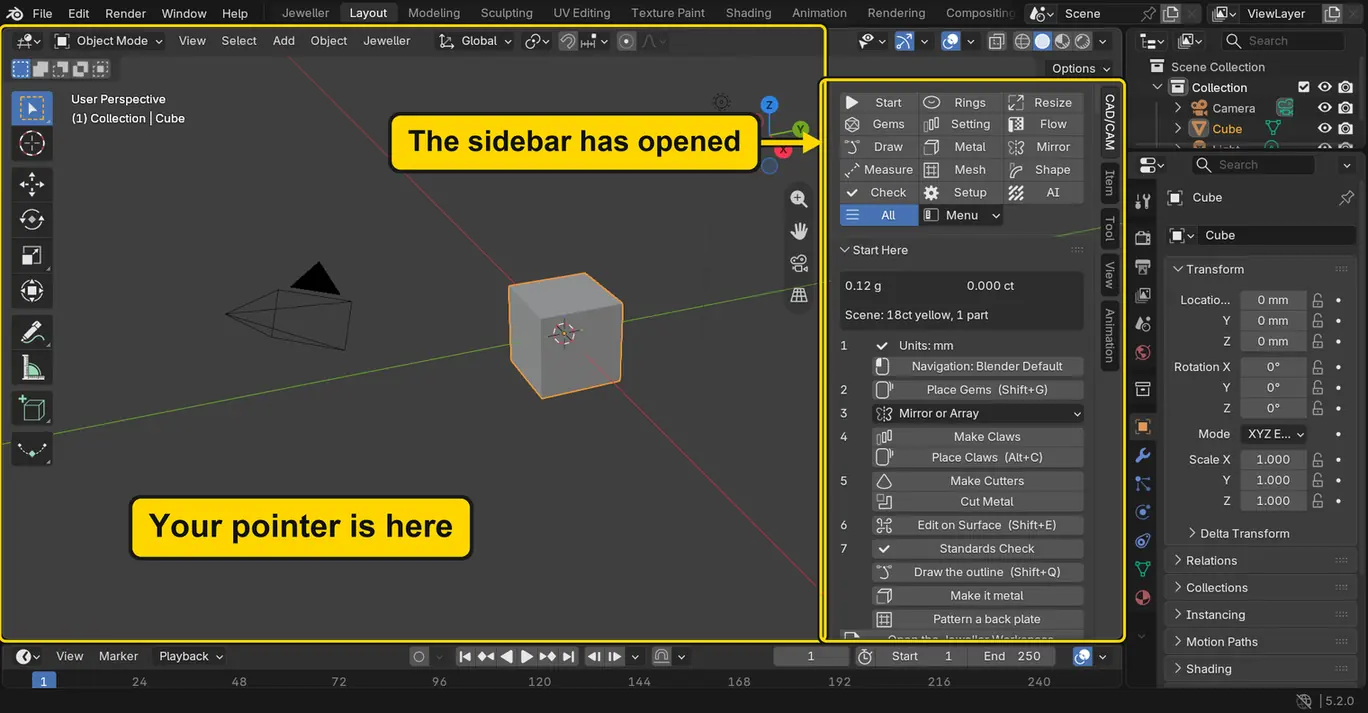
N with the pointer over the 3D viewStep 3. Press N again
WhereThe 3D view: leave the pointer where it is.
DoPress N once more.
You should seeThe sidebar shuts. N opens it and shuts it, in turn.
It worked whenNo sidebar stands at the right of the 3D view.
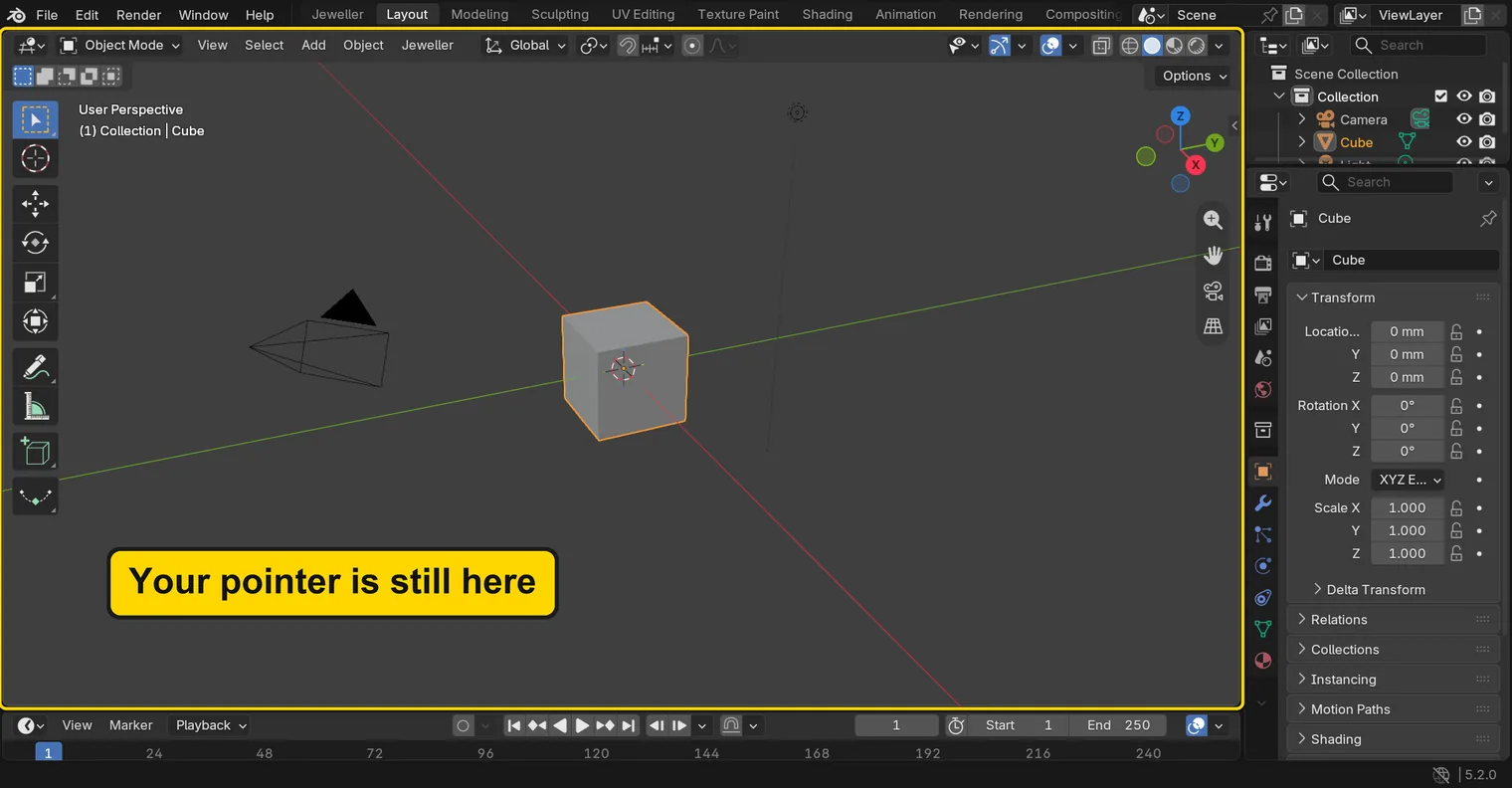
N a second timeStep 4. Press N over the Outliner
WhereThe Outliner: the list at the top right of the window.
DoMove the pointer over the Outliner, without clicking. Then press N once.
You should seeNothing happens. The key went to the Outliner, and the Outliner has no use for N. The 3D view never heard it.
It worked whenStill no sidebar stands at the right of the 3D view.
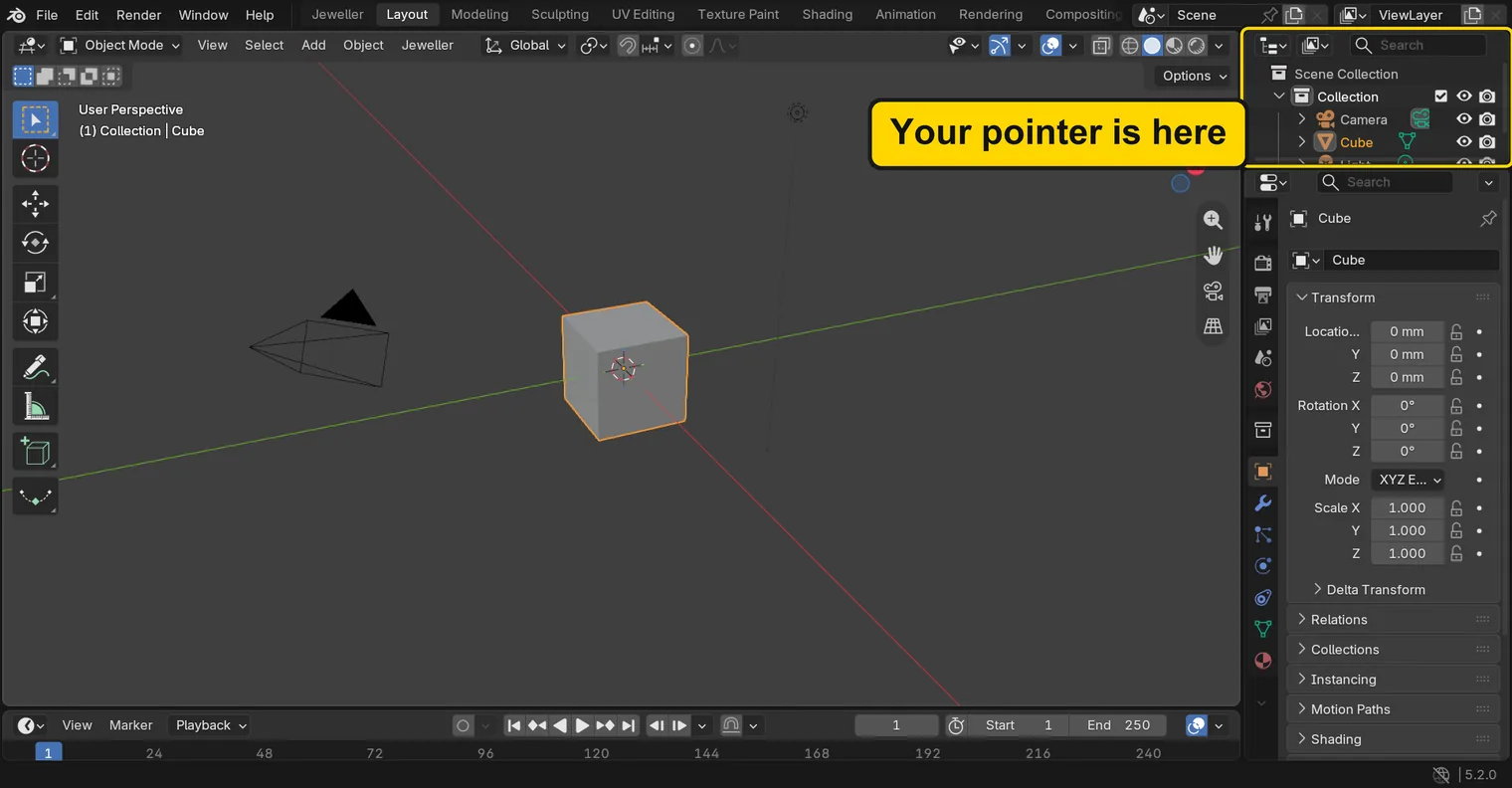
N with the pointer over the Outliner: nothing has changedIf it goes wrongThe sidebar opened: the pointer was still over the 3D view: the Outliner is only the small list at the top right. Press N again to shut the sidebar, and move the pointer onto the list.
Step 5. Press N over the 3D view once more
WhereThe 3D view.
DoMove the pointer back over the 3D view, without clicking, and press N.
You should seeThe sidebar opens. You clicked nothing between these steps: only the pointer moved.
It worked whenThe sidebar stands at the right of the 3D view again.
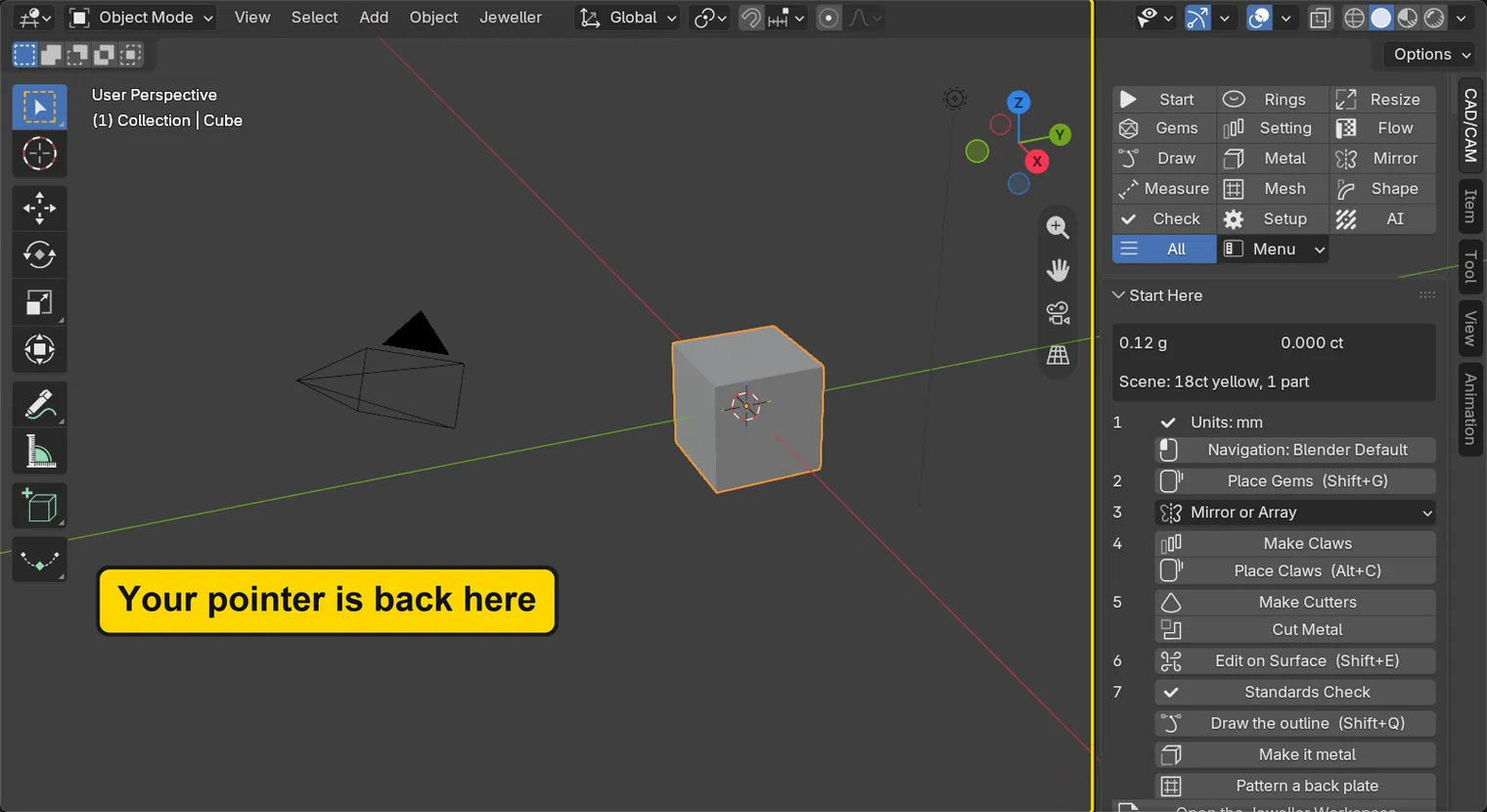
N over the 3D view again: the sidebar is backCheck your result
| What to read | Where | What it should say |
|---|---|---|
| The sidebar | The right of the 3D view | Open, after your last N over the 3D view |
| The Outliner | The top right of the window | It still lists Camera and Cube: N over it changed nothing |
Try it yourself
Begin from File > New > General. Rest the pointer on the word Transform in the Properties editor and press A: that panel folds up to its title. Press A again and it opens. Now move the pointer over the 3D view and press A: the same key selects everything, and the camera, the cube and the light all light up.
What you learned
- A key goes to the area under the pointer, not to the area you last clicked.
Nopens and shuts the sidebar, but only with the pointer over the 3D view.- When a key seems to do nothing, look first at where the pointer stands.