

Upload an image you generated with Midjourney, Gemini, or any other AI image tool to Instagram or LinkedIn and you may notice a small label: “Made with AI.” You did not add it. The platform found it for you, automatically, without asking.
That label appears because your image carries a layer of embedded metadata that broadcasts exactly where it came from and how it was produced. The platform reads that layer and adds the badge.
This piece is about what that metadata actually is, which part you can remove, which part you cannot, and the practical rule that follows for anyone using AI-generated images in their content.
Two kinds of AI fingerprint
There are two distinct things at work here, and it is important not to confuse them.
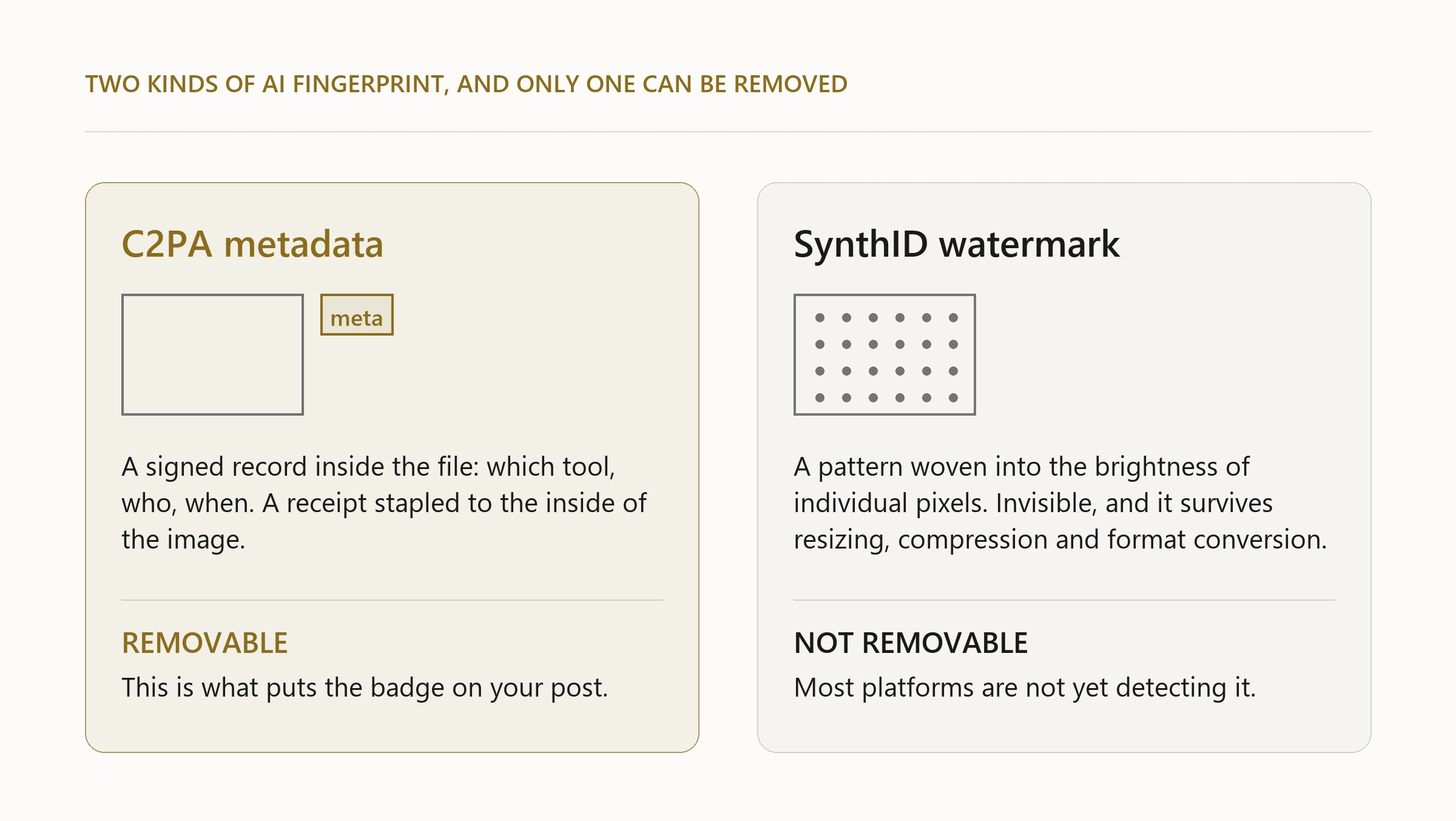
The first is C2PA container metadata. C2PA stands for Coalition for Content Provenance and Authenticity. It is an industry standard that embeds a signed record inside the image file itself: who made it, which tool was used, when. Think of it as a receipt stapled to the inside of the file. Most commercial AI image generators add it automatically. It rides in the file’s metadata layer, in its own container alongside the EXIF and XMP blocks you may already know about, which means it can be read by anyone who knows where to look, and it can also be removed.
The second is a pixel-level watermark, most commonly SynthID from Google. This is not a stamp you can see. It is an imperceptible pattern woven into the brightness values of individual pixels across the whole image. It changes nothing visible, but it can be detected by the right algorithm. It cannot be removed without degrading the image itself.
The platform badge on Instagram and LinkedIn comes from C2PA. Most platforms are not yet running SynthID detection at upload.
What stripping actually does
When you strip C2PA metadata from an image file, you remove the container record. The file no longer announces its origin. The platform no longer shows the badge, because it has nothing to read.
What stripping does not do: it does not change the image. The pixels are identical before and after. If a SynthID watermark is in there, it stays there. And if a platform ever adds human-review verification, the absence of metadata will itself become a signal. You are not deceiving anyone’s eye. You are removing a machine-readable label.
Whether to strip is a choice about disclosure rather than a choice about content. Stripping is legitimate. So is leaving the metadata in place. The right call depends on the platform, the context, and your own policy.
The rule for makers using AI in their content pipeline
If you use AI to generate images for your brand content and you do not want the badge, the fix is a single step: strip the metadata before you upload.
This is not a workaround. It is the correct use of your own files. The metadata was added by the generator; it is your file and you can edit it.
In practice, this means building the strip into your workflow at the point where you prepare images for publishing, not as an afterthought. If you use a content pipeline (any automated system that takes an AI-generated image and queues it for posting), the strip belongs in that pipeline, not in your memory. The same argument applies to background removal: the step that happens every time should not be the step you remember to do.
The tools that do this well operate on the file directly, remove the metadata blocks without touching the image data, and confirm the result. What you want is a clean file with no C2PA trace, verified by reading it back rather than trusting the strip ran without error.
The limit worth knowing
SynthID is different. Google designed it to be indestructible under normal processing: resizing, compression, colour adjustment and format conversion all leave it intact. Removing it would require degrading the image to a degree that defeats the purpose. For practical content work, treat SynthID as permanent. The C2PA label you can deal with. The pixel watermark you cannot, and platform detection will eventually catch up with it.
For the kinds of content that jewellery and luxury brands produce, this distinction matters less than it sounds right now. SynthID is most relevant to high-stakes verification contexts (news, finance, electoral content) where the provenance of every image is contested. A product lifestyle render for your jewellery brand is not that. But it is worth knowing the distinction so you are not surprised if a platform’s detection improves.
What this means in practice for independent makers
If you generate images for social content, product presentations, or marketing materials, and you are using a tool that adds C2PA metadata (Gemini image generation, gpt-image-2, and most commercial generators do), strip the metadata before you upload.
If you are building your own content pipeline, the strip belongs in the pipeline and runs automatically so you do not have to remember it.
If you use tools that do not add C2PA metadata, you do not have a problem to solve.
The “made with AI” badge is not inherently bad. Plenty of brands choose to show it. But it should be your choice, made deliberately, not something a platform decides for you because of a metadata layer you did not know was there.
That is the whole point: you should know it is there.
- Two separate things: C2PA metadata rides in the file, SynthID is woven into the pixels.
- The platform badge comes from C2PA. That layer can be removed, and it is your own file.
- SynthID survives resizing, compression and format conversion. Treat it as permanent.
- Build the strip into your publishing pipeline, not into your memory.
- The badge is not the problem. Not choosing whether to show it is.
If your pictures show pieces you have designed in CAD, the same rule applies to the file behind the picture. The Jeweller’s CAD Numbers is free, and so is the beginner’s course.