

Most articles about AI and jewellery design are about rendering: generate an image, iterate on the look, post it. That is one small part of the picture. The more useful question is where AI changes the actual workflow: the thinking before the render, the work after it, and the business that runs alongside it.
This is a breakdown of where AI enters my own workflow and what it does at each stage.
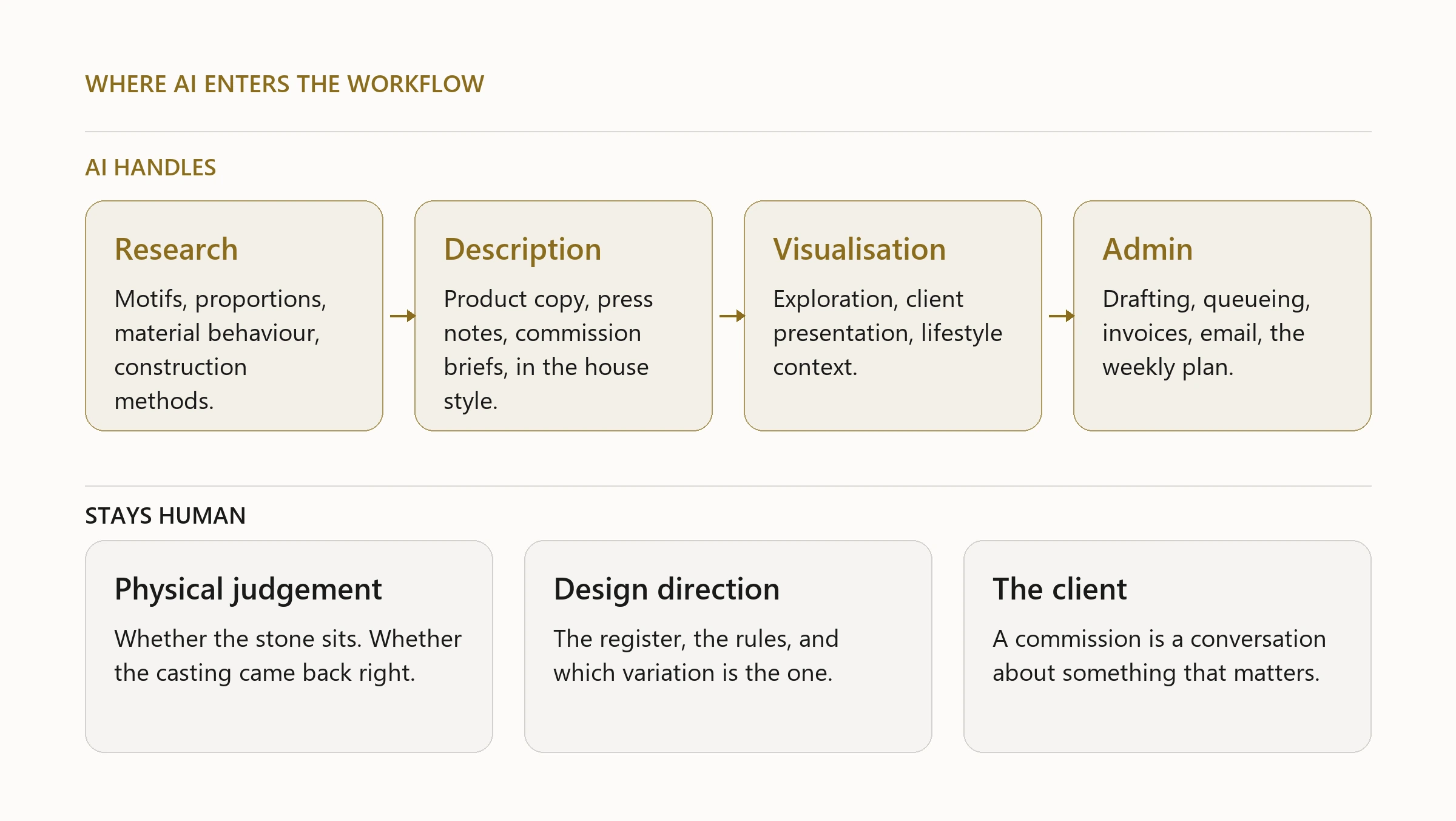
Research and reference
Before a new design, I spend time with reference: historical motifs, material properties, construction methods, cultural context. This used to mean bookmarks, PDFs, and a lot of time navigating databases.
AI shortens the research phase substantially. I can ask for the geometric rules behind a specific Persian pattern, what determines the correct girih proportions for a given scale, what setting styles survive polishing cycles on fine pavé work, or how a specific stone cut behaves at different ratios. The answers are not always right, and I verify anything structural against primary sources, but the initial synthesis happens in a fraction of the time.
Where AI is not useful in research: anything that requires looking at physical samples, anything about specific supplier pricing, anything very recent.
Writing design descriptions
Every piece on Silux London has a product description that explains the design, its heritage references, the technical choices, and the materials. Writing ten of those accurately, without repeating language from one to another, is time-consuming.
I describe the design to an AI system that knows the house style. The first draft comes back in seconds. I correct it, adjust the tone, add anything it missed. The final version is mine, but the blank-page problem is gone. There is a longer piece on how that house style is actually given to the model, because a generic prompt produces generic copy.
This extends to press materials, bespoke commission briefs, and the copy that goes on slides for client presentations. The work is in the editing, not the starting.
Visualisation
The part most people know about: generating images.
I use AI image generation for three things. Design exploration, where I need to see a rough version of an idea before committing to CAD. Client presentations, where a painterly atelier rendering communicates better than a technical file. And lifestyle content, where I want to show a piece in context rather than on a plain white background.
The smaller, duller uses matter more than the headline one. Removing the background from a product photograph is a job that used to take an afternoon across a set of pieces.
What AI image generation does not do: produce manufacturing files, show correct stone proportions, or reliably reproduce a specific design across multiple renders. Each generated image is a new interpretation. For anything going to production, the file is CAD, always.
Scheduling, publishing, and business administration
This is the part that has the most impact on my actual working time, and it is the one nobody talks about.
Everything that has to happen on a schedule and does not require design judgement is now automated. Content gets drafted, queued, and published. Invoices get processed and filed. Email gets sorted and labelled. The weekly plan runs on a schedule. None of this requires my attention unless something is wrong or a decision is needed.
The result is that the hours I spend working are spent on design and making, not on repeating the same administrative actions. That is a more significant change than any single AI design tool.
What AI does not replace
The physical judgement. Whether a stone sits correctly in a setting, whether a casting came back with enough metal in the prongs, whether the piece feels right in the hand: none of that is AI. It is time at the bench and experience accumulated slowly.
The design direction. AI generates variations within a register I establish. It follows the aesthetic rules I give it. The rules, the register, and the judgement about which variation is the right one: those stay mine.
The client relationship. A bespoke commission is a conversation, sometimes over several weeks, about something that matters to the person wearing it. That is human work.
The rule of thumb I use: if the task repeats in the same form more than twice, AI should handle it. If the task requires looking at something physical or deciding something that carries the maker’s name, it stays with me.
- The biggest gain is not rendering. It is everything on a schedule that needs no design judgement.
- AI shortens research and kills the blank page. The work moves into editing rather than starting.
- Generated images are for exploration and presentation. Production files are CAD, always.
- The rule of thumb: repeats more than twice, AI takes it. Physical or signed with your name, you keep it.